Homeric challenges
Twelve story-driven walks inspired by the Iliad and the Odyssey — seven voices from Troy, five from the journey home. Your story token works for any challenge in the app.

Priam's Vigil: Troy at Dawn

Hector's Gate: The Walls of Home

Paris and the Road Between Hills

Achilles and the Shore of Bright Things

Helen and the Far Shore: Walking Troy

Andromache and the Walls She Holds

Briseis and the Shore That Stays

Penelope and the Unfinished Cloth

Telemachus and the Ship at Dawn

Circe and the Island at the Edge

Calypso and the Shore at World's End

Nausicaa and the Washing Shore
Every step tells a story
Story-driven challenges for your daily walks
Each adventure has a theme, a setting, and a companion that travels with you as you move. Frequent milestones invite you to chime in and decide what happens next—your choices steer the story. Checkout is handled securely by Stripe.
What you are buying: a story token
A story token is a universal key — it unlocks any challenge in the app, not just the one you select here. Complete checkout, open STEPathON with the same email, join any challenge, and start walking. You can also give the token to someone else; they will find it waiting in their account.
Use the same email at checkout and in the app so your token and your profile connect without friction.
How it works
From checkout to your first steps—then milestone after milestone, you choose how the story unfolds.
Choose a challenge and enter the email you will use to sign in to STEPathON.
Click Buy now — you are redirected to Stripe to review the total and pay securely.
Complete payment on Stripe and keep your confirmation email for your records.
Download STEPathON and sign in or create an account with the same email address.
Open your challenge in the app, tap Join, and start walking your story.
Challenge purchases — FAQ
Straight answers about checkout, email, and the app.
You will receive a payment confirmation from Stripe. We link your purchase to the email you entered at checkout and add a challenge token to that account. Sign in to the app with the same email to use it.
After checkout completes, open STEPathON, sign in with the email you used at purchase, open the challenge you bought, and tap Join. Your token is applied when you join.
We use your email to connect your Stripe payment to your STEPathON account and to deliver your redemption flow securely. Using the same email avoids mismatches that delay access.
Yes. Install STEPathON on the devices you use day to day and sign in with the same account. Your steps and challenge progress stay tied to your profile.
Payment terms follow our published policies. For withdrawal and refund rights that may apply to your purchase, review the documents linked from our Terms page (including the Right to withdrawal policy where applicable). If you need help with a refund or access after purchase, email support@stepathon.io and we will help resolve it, including refunds where our policies allow.
Payments are processed by Stripe. STEPathON does not store your full card number on our servers for these checkouts. You can read how we handle personal data in our Privacy Policy.
For questions about checkout, redemption, or access, email support@stepathon.io. We aim to respond as soon as we can during business hours.
We stand behind challenge purchases. If payment or redemption doesn’t go smoothly, email us—we’ll help.
Get the STEPathON app
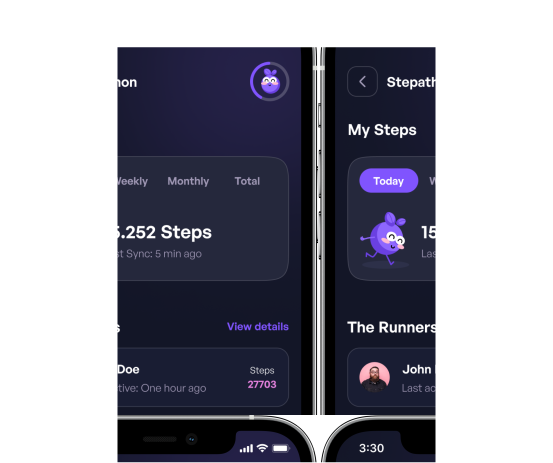
Download on iOS or Android. Sign in with the same email you used at checkout, join your challenge, and start walking.
Download the app