

Challenges - FAQ
Contents
- How do I join a Step Competition?
- I have an iOS phone, how do I enable the steps tracking service?
- I have an Android phone with Google Play Services, how do I enable the steps tracking service?
- I have a Huawei Phone without Google Play Services, how do I enable the steps tracking service?
- I have an Android Phone, but I am using another service to track my steps, how do I setup the steps tracking service?
- I have a Huawei Phone and I am using a fitness tracker, how do I setup the steps tracking service?
- Can I use Fitbit with iOS devices?
- Can I use Xiaomi Band Pro 7?
- I changed my phone during the competition and lost all my progress, what should I do?
- I have an older version of Xiaomi band, can I use it?
- I have a Huawei device, can I use it?
- Can I use fitness trackers with Huawei?
- Will the steps automatically register in the app?
- Is it necessary to have the phone with us when we are taking the steps?
- Are we allowed to input manual steps?
- How does STEPathON validate steps and winners?
- Why do my steps in STEPathON differ from my health app?
- Why does STEPathON show almost double the steps from my fitness app?
- I granted every permission but STEPathON shows 0 steps. What did I miss?
- Why do my steps arrive late, or go missing and then come back?
- I am constantly short by roughly the same number of steps. What should I check?
- I use Health Sync for a Huawei watch and I am constantly missing steps
- I enabled Health Connect in Samsung Health but the steps still do not show up
- I have a Xiaomi, Redmi or POCO and syncing stops after a few hours
- I have a watch or band from another brand. How do I know if it works with STEPathON?
- My steps are in Health Connect and permissions look right, but STEPathON still ignores them. Why?
- Should I reinstall the app if it is not syncing?
- My account shows as inactive or my steps stopped suddenly. What do I do?
- Why do my steps in a Competition differ from the Steps Bank?
- Why do today's steps not match what my phone shows?
- What does "under review" / investigation mean?
- How do I appeal a disqualification?
- Is the STEPathON app using more battery?
- Why can I not see the Background Refresh option?
- How to turn on Background Refresh?
- Can I use Garmin with Android?
- I have a question that is not listed here, what should I do?
How do I join a step competition?
Step 1: Download the STEPathON app from Google Play or the App store. Links below:


Step 2: Create an account in the app - click the Register Now button
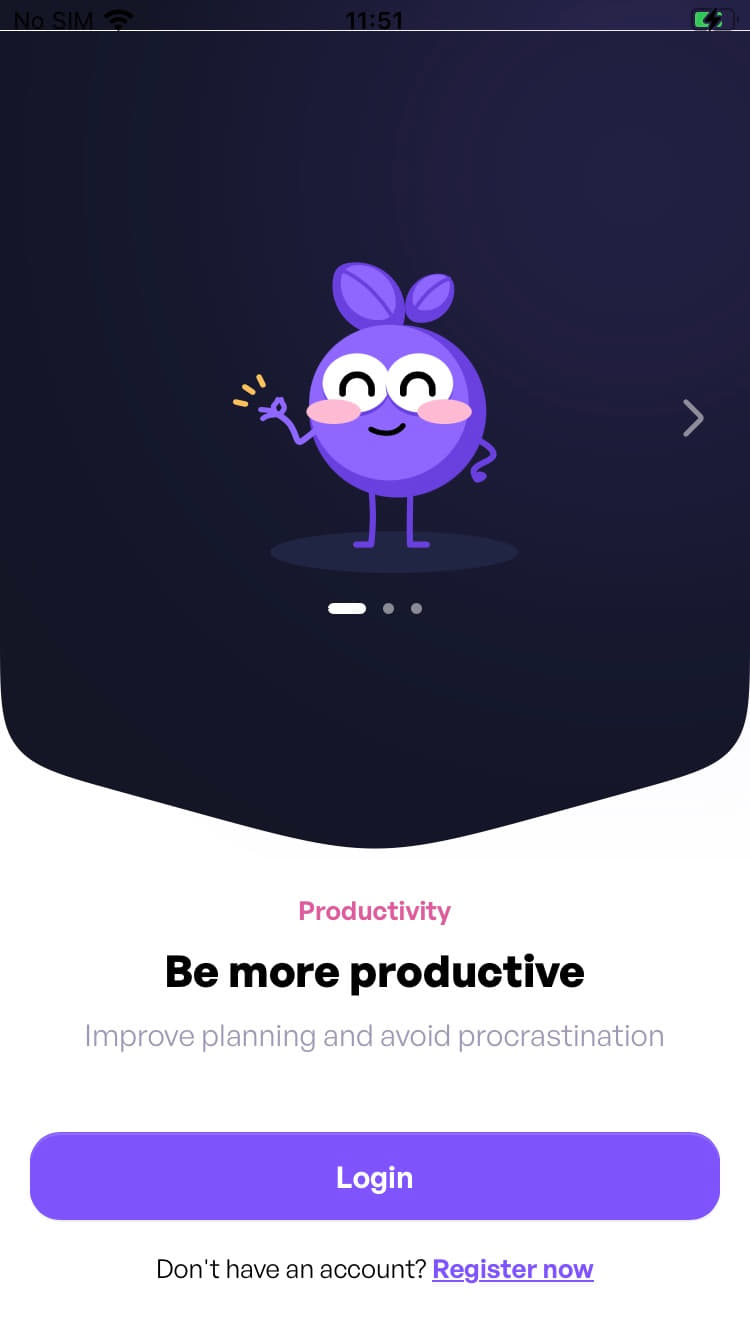
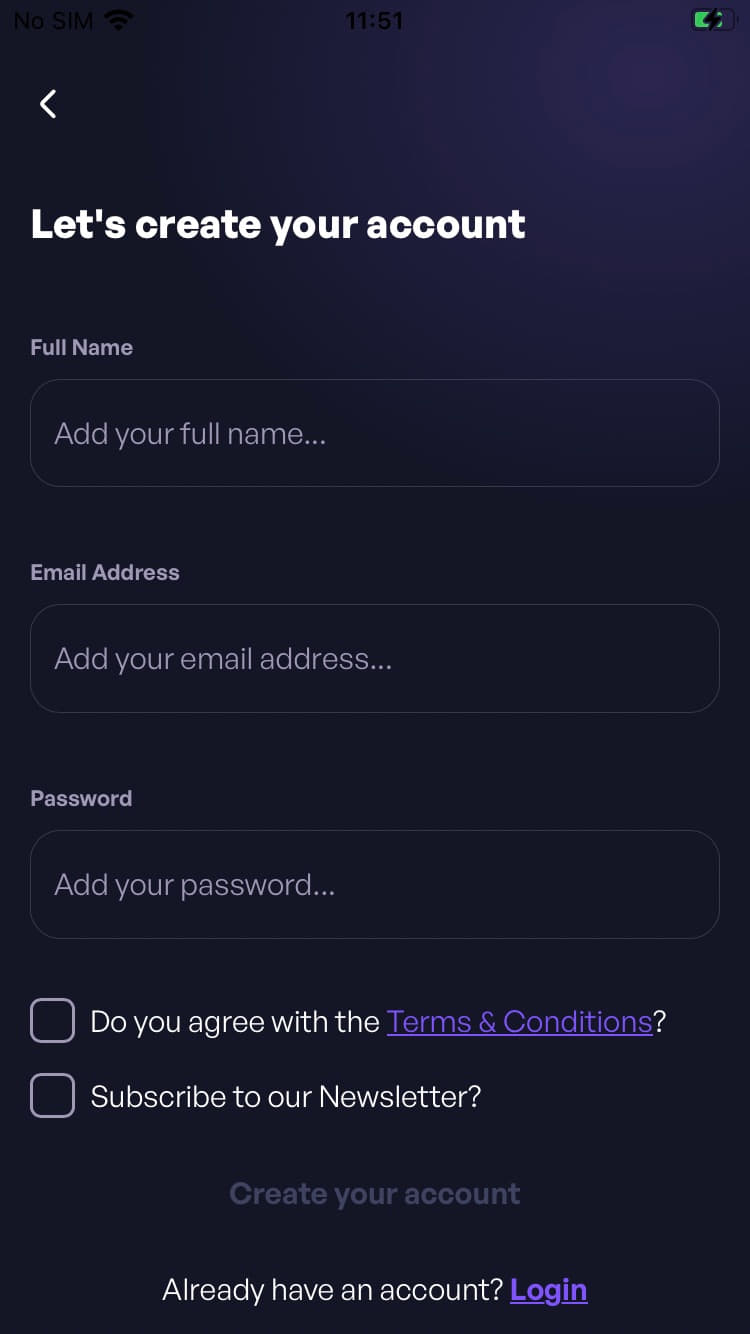
Step 3: Create an account using your company domain work email and you automatically join the organization.
If you want to participate in the competition but do not have a work email, you can register using your personal email and join the organization using the registration code. To enter the code, after registering in the app, navigate to: Profile -> Settings -> Organization.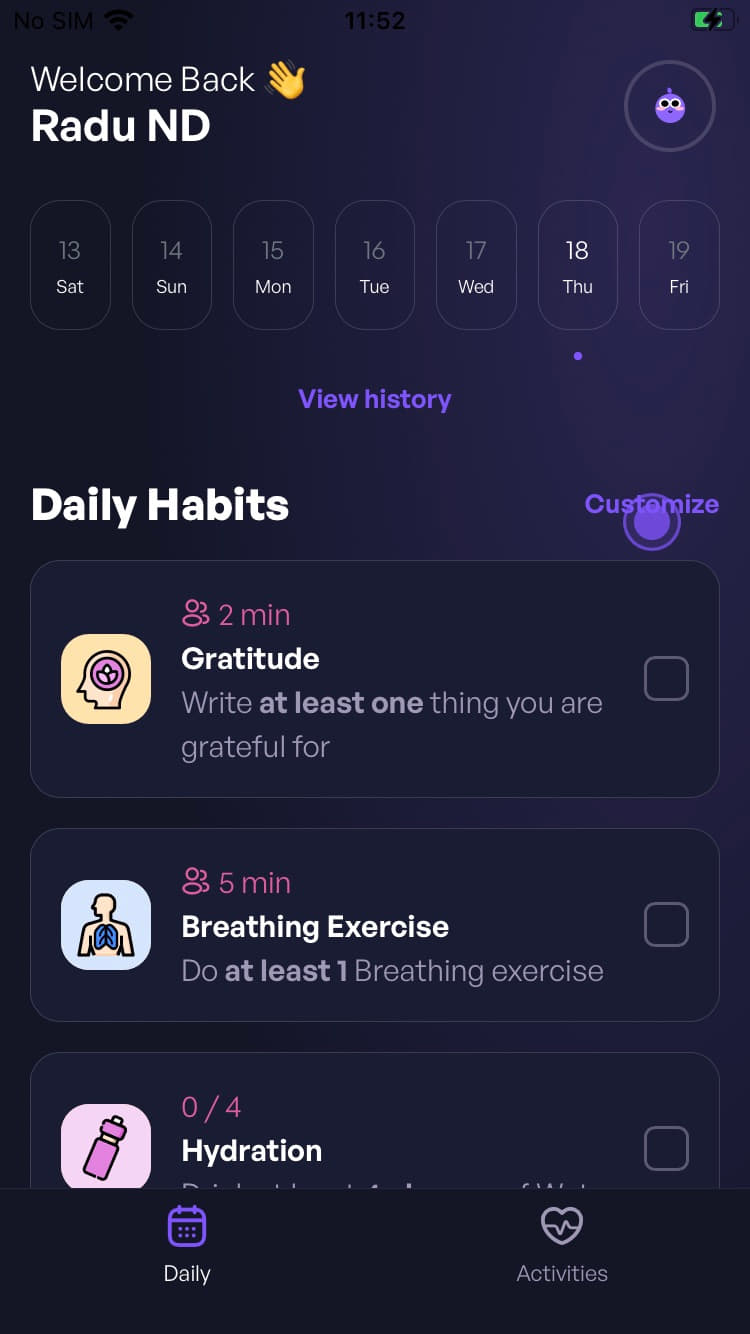
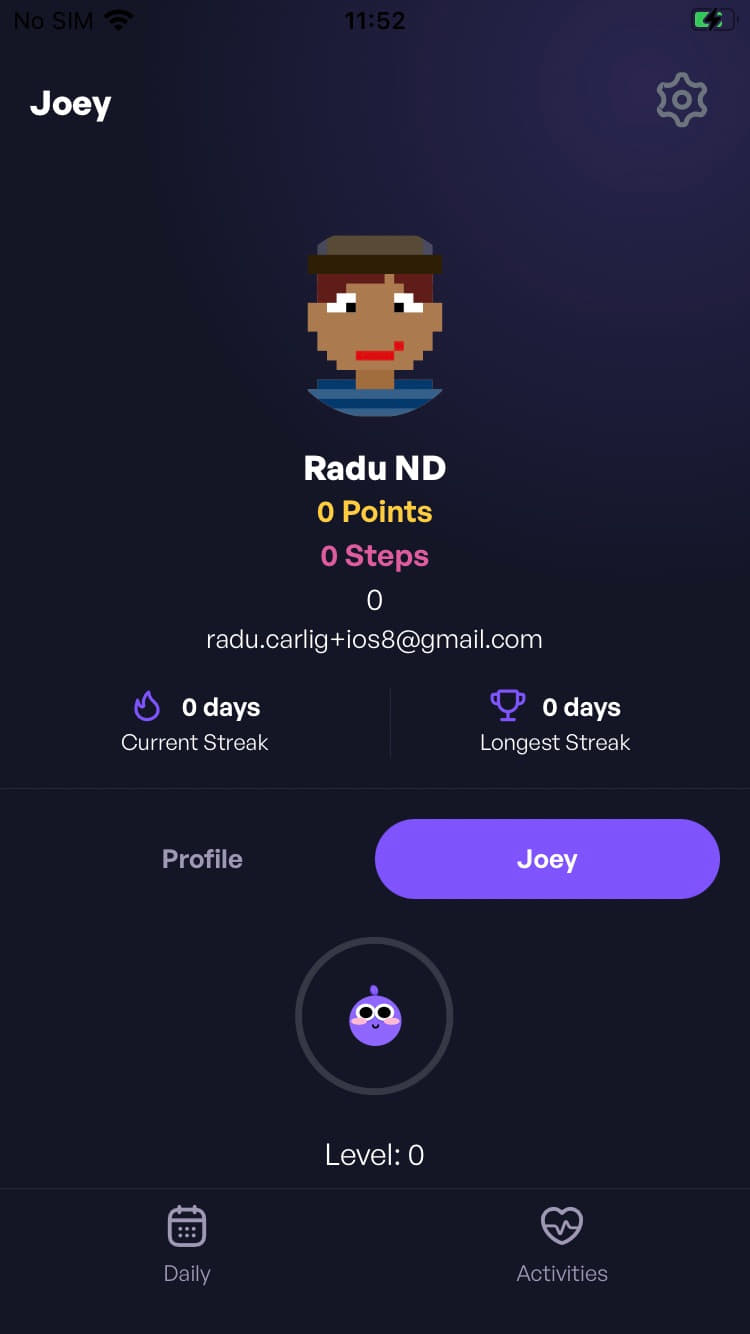
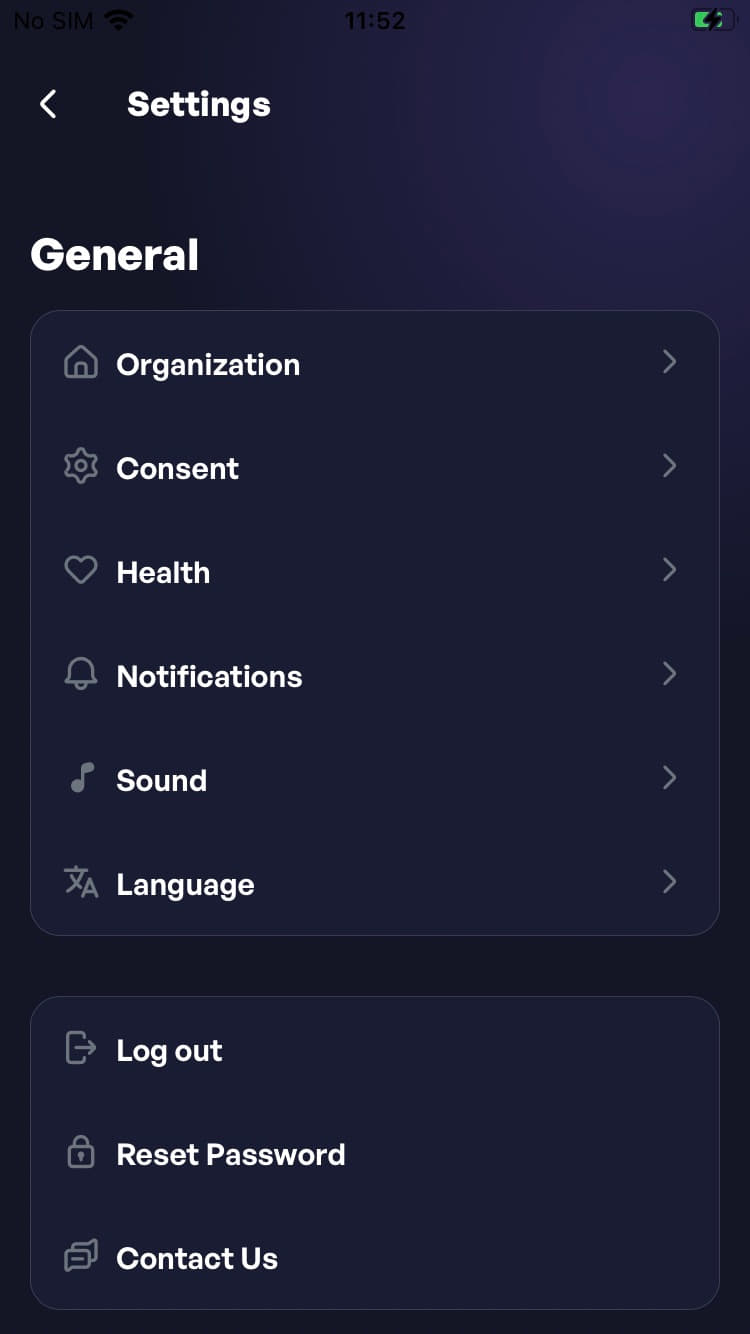
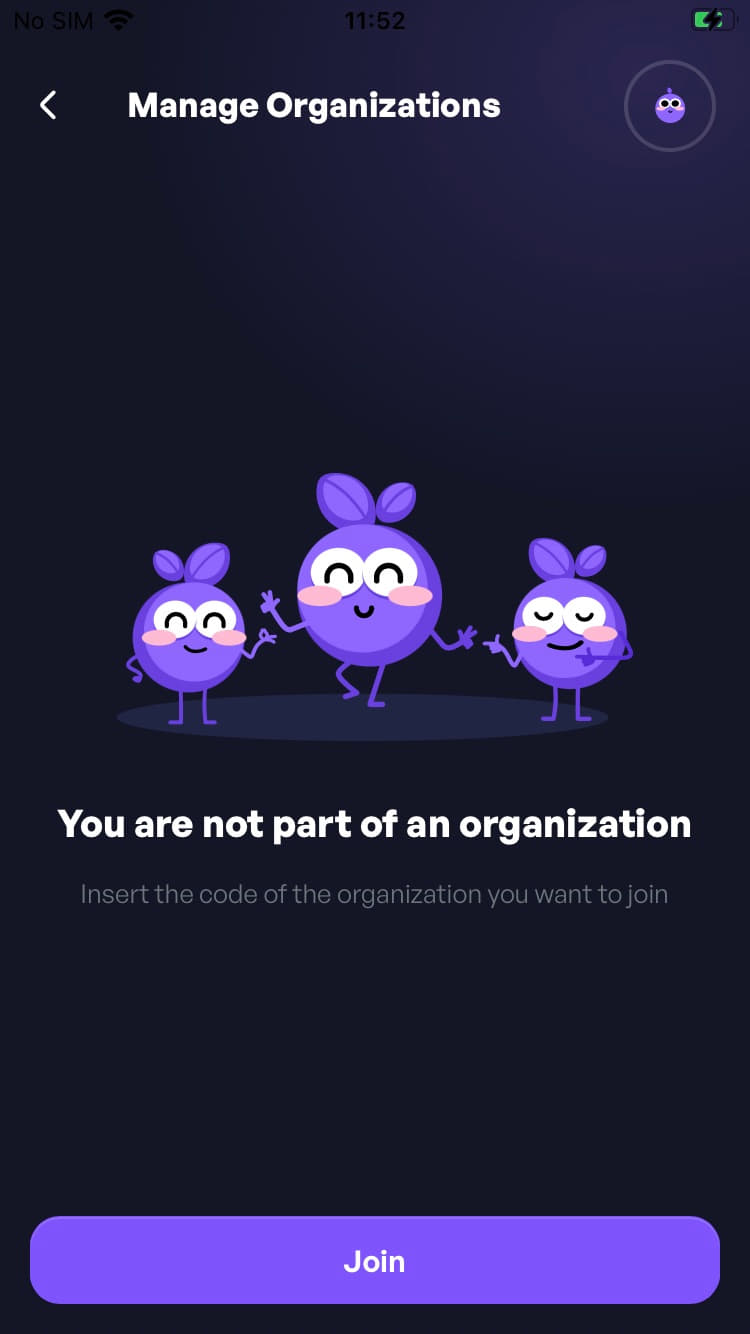
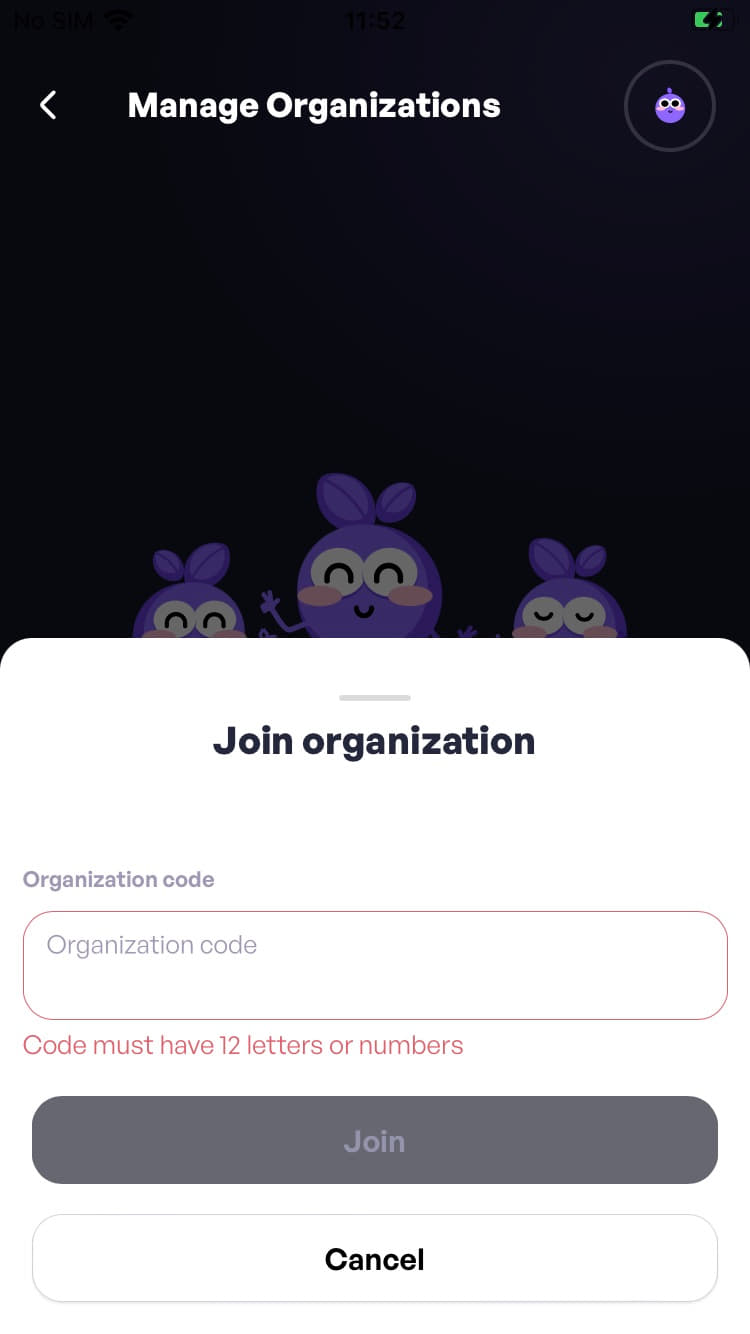
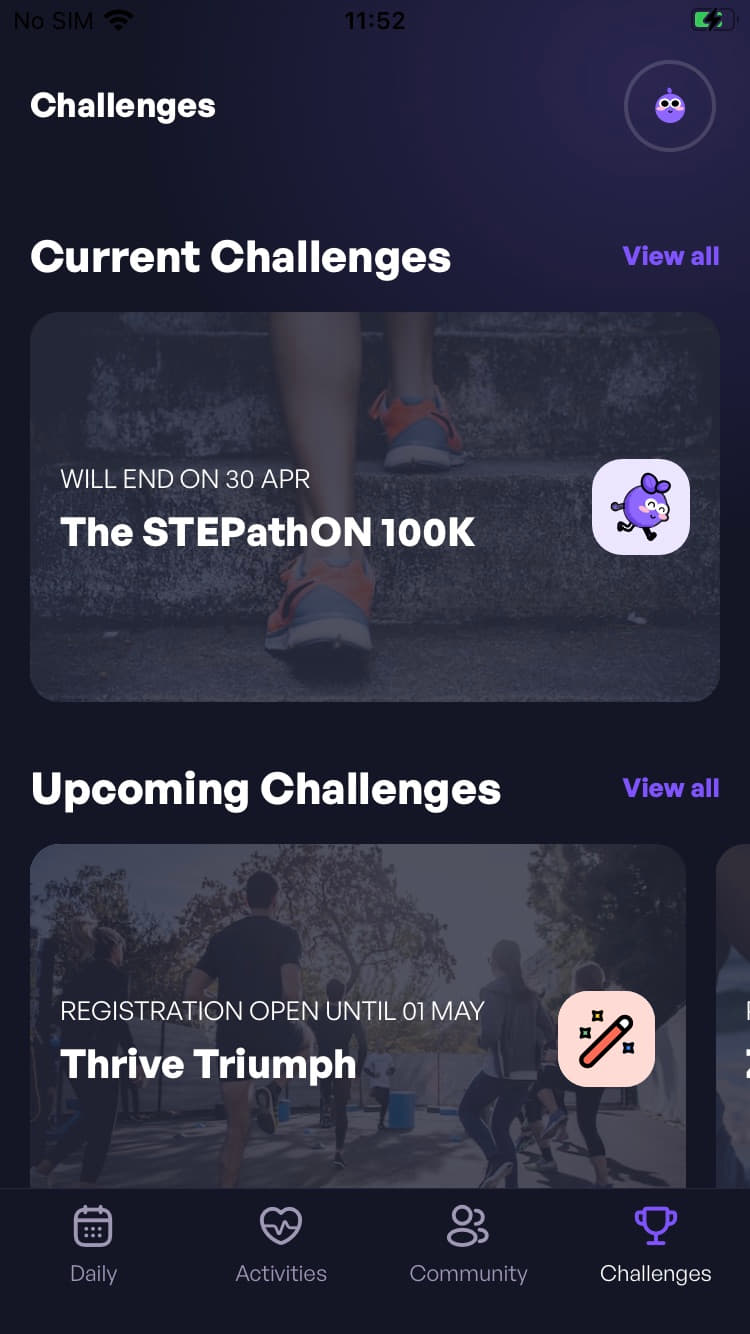
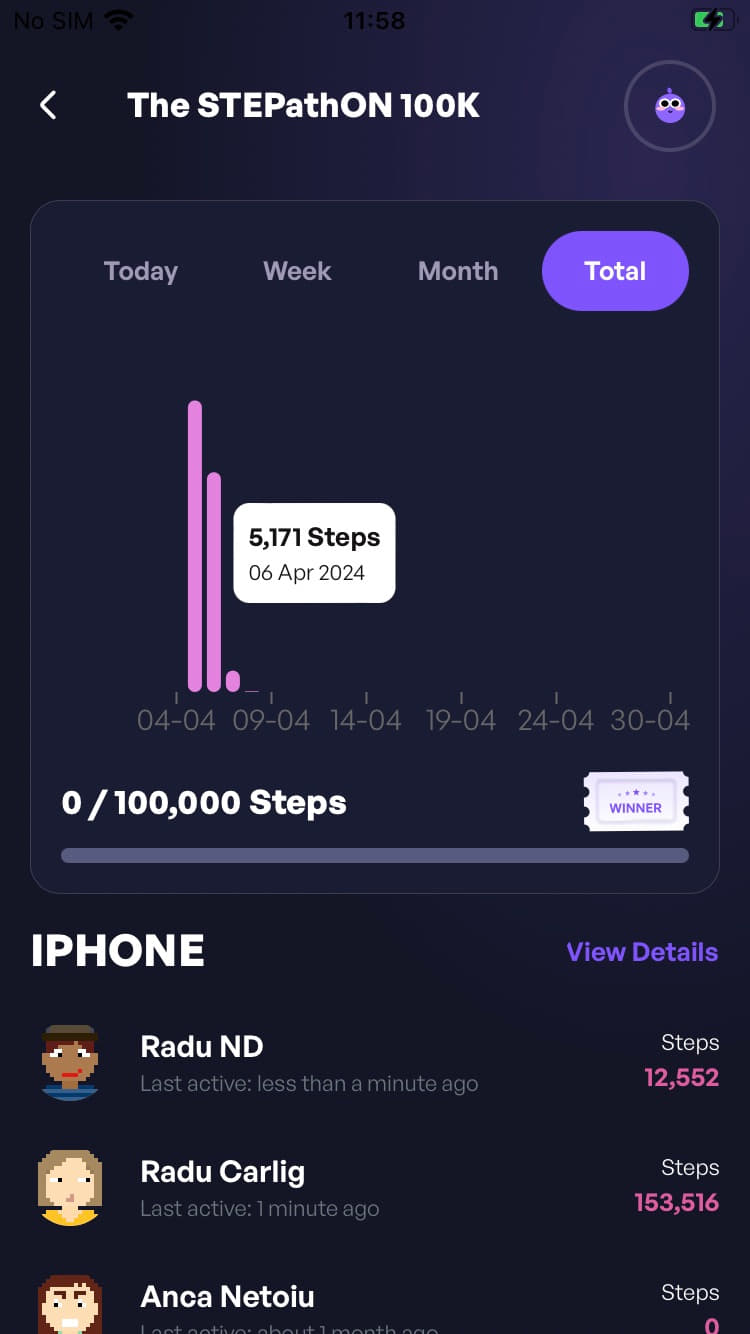
Step 4: After registration in the app, you need to go to the Challenges section and click on the competition card, ex: STEPathON 100k card.
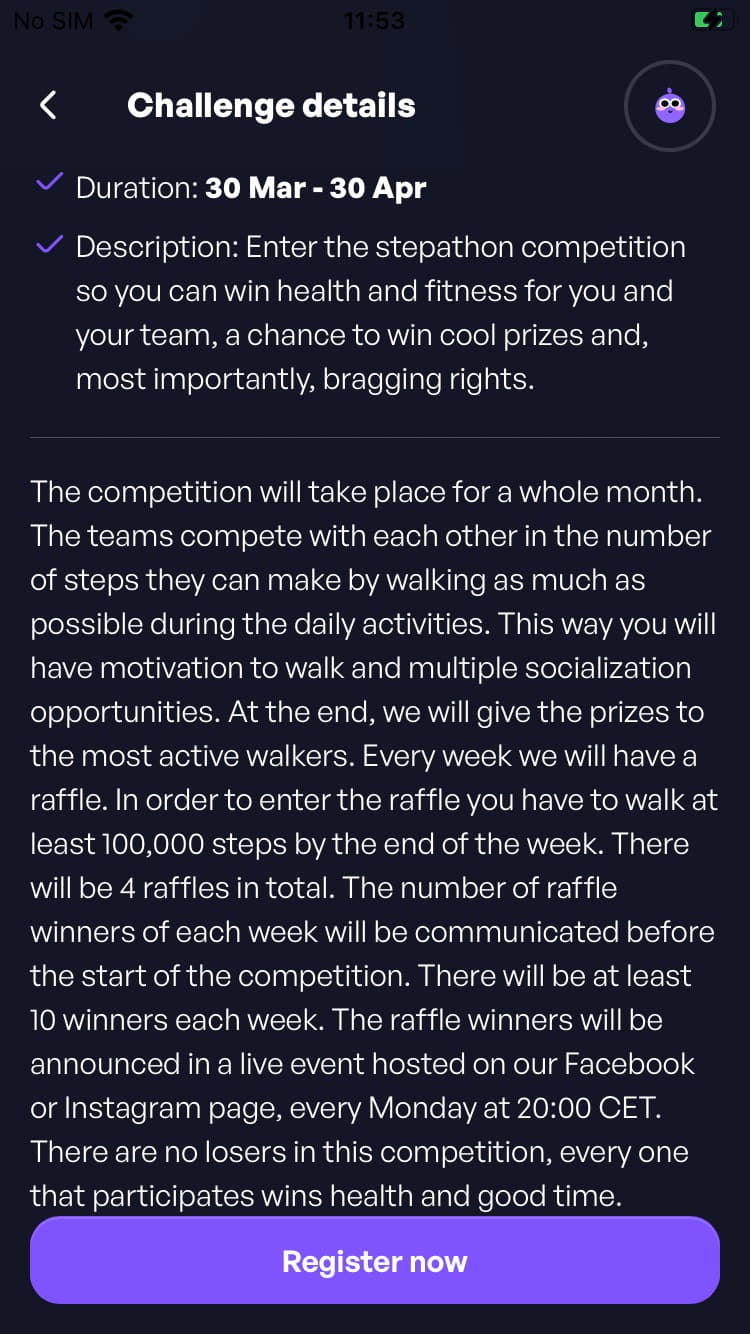
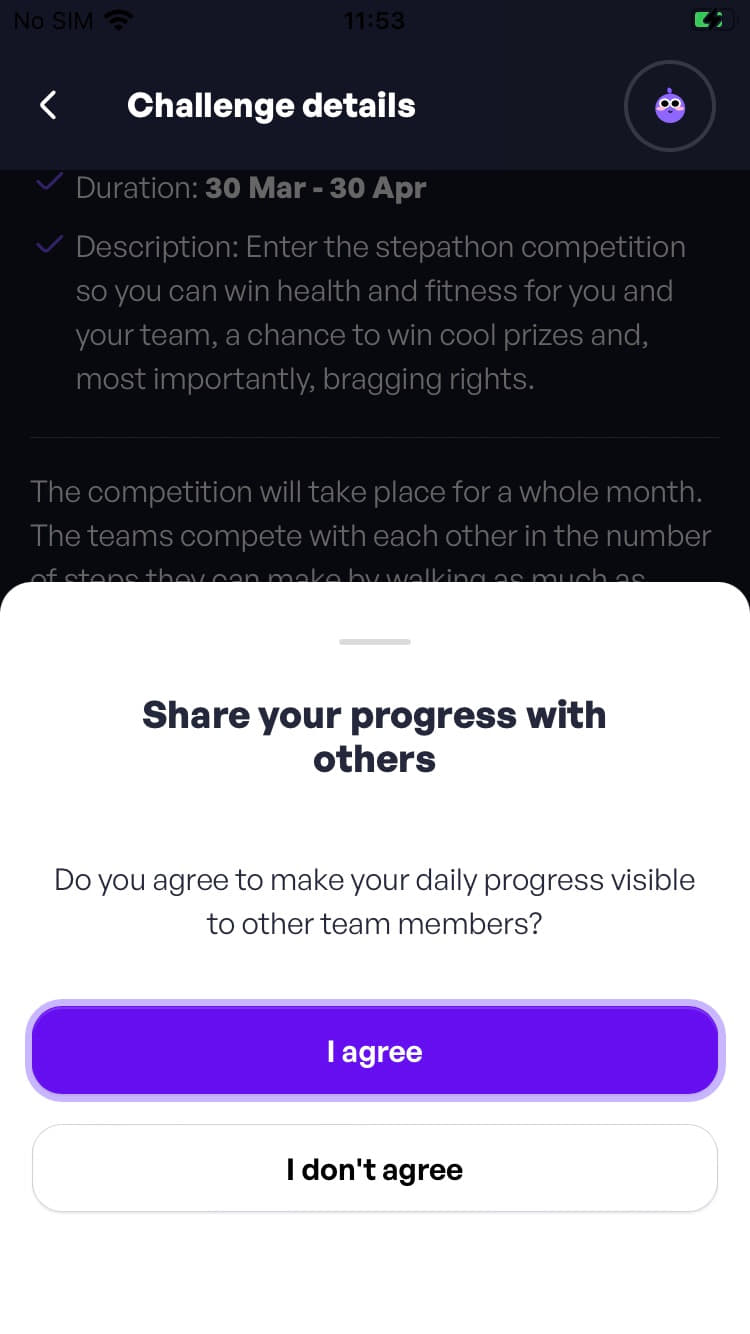
Click Register Now and a message will appear asking for your consent to data processing. We need your consent to enroll you in the competition.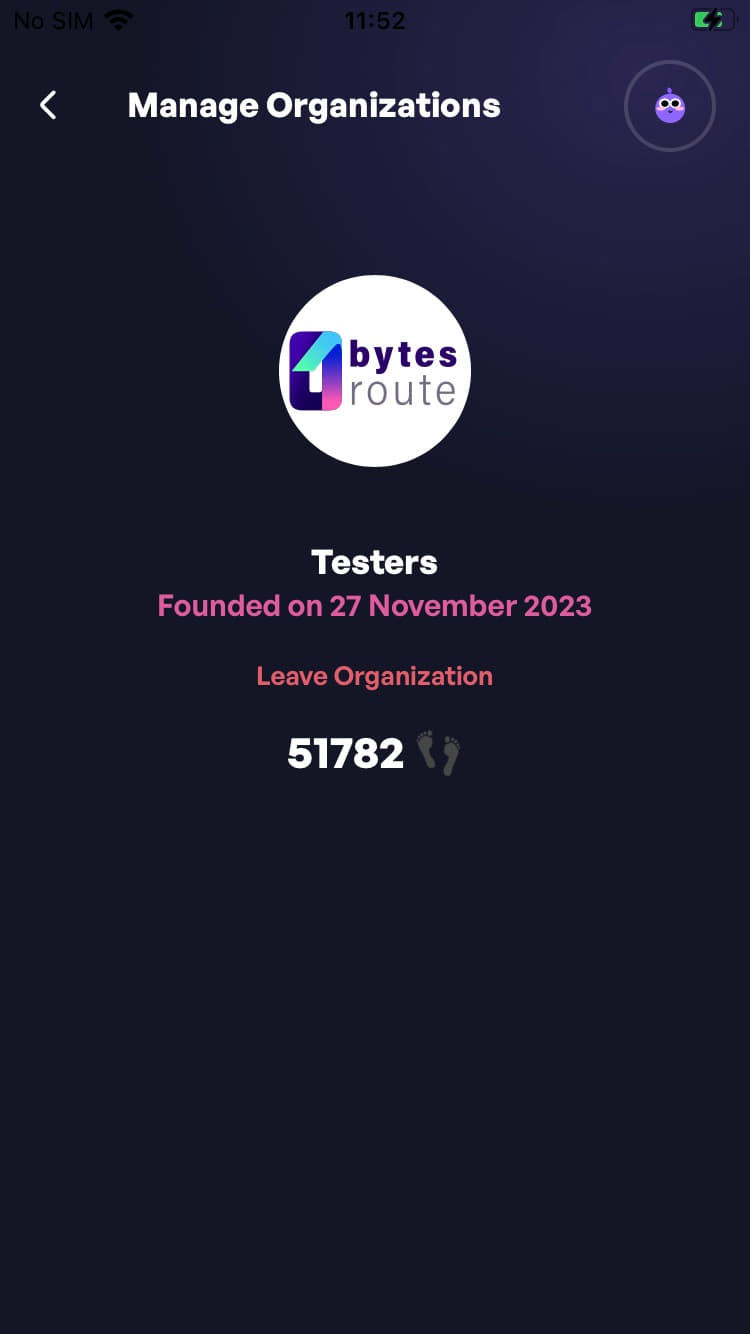
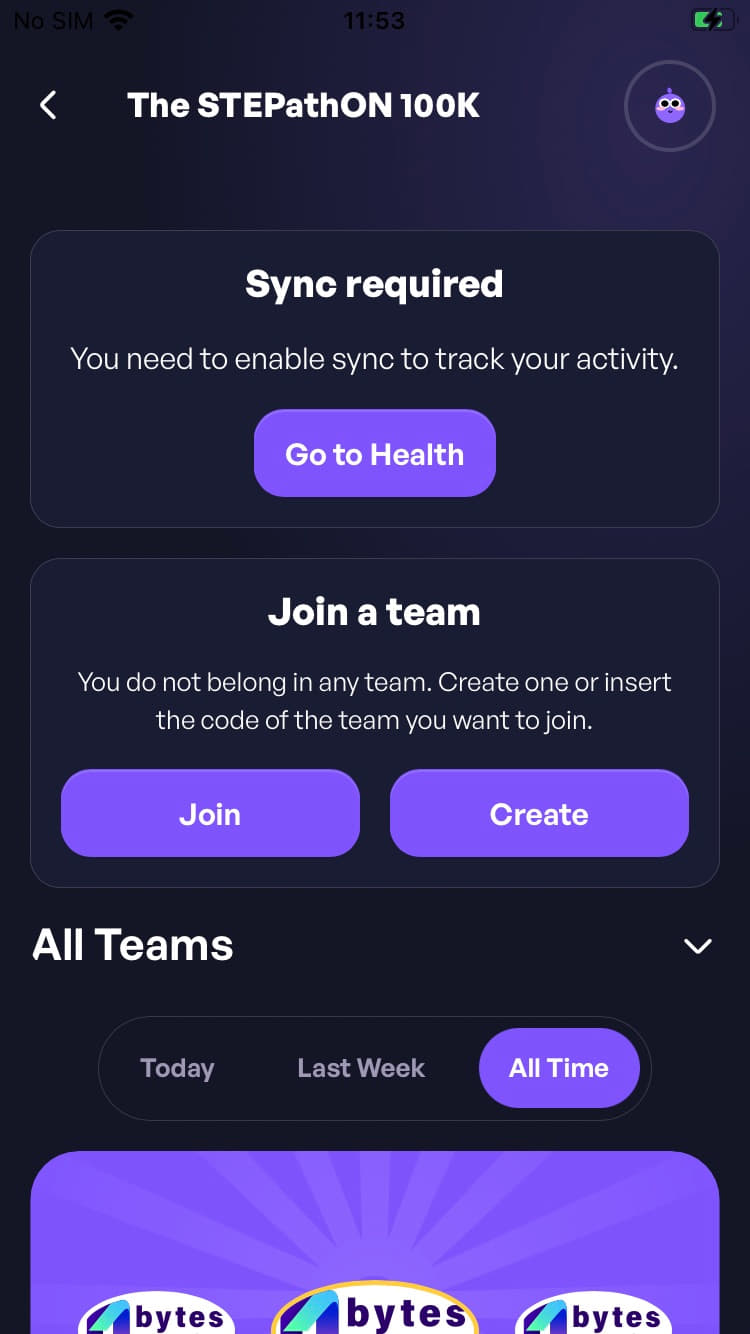
Step 5: After registration, you will be automatically redirected to the homepage where you have two options:
- Create - here you can create a team and give it a name.
- Join - here you enter the code of the team you want to join. To find out the team code, you need to click on the Details button, and then press the Invite button. If you do not have the permissions activated to read the steps in the Health section, then you must press the Go to Health button and activate synchronization.
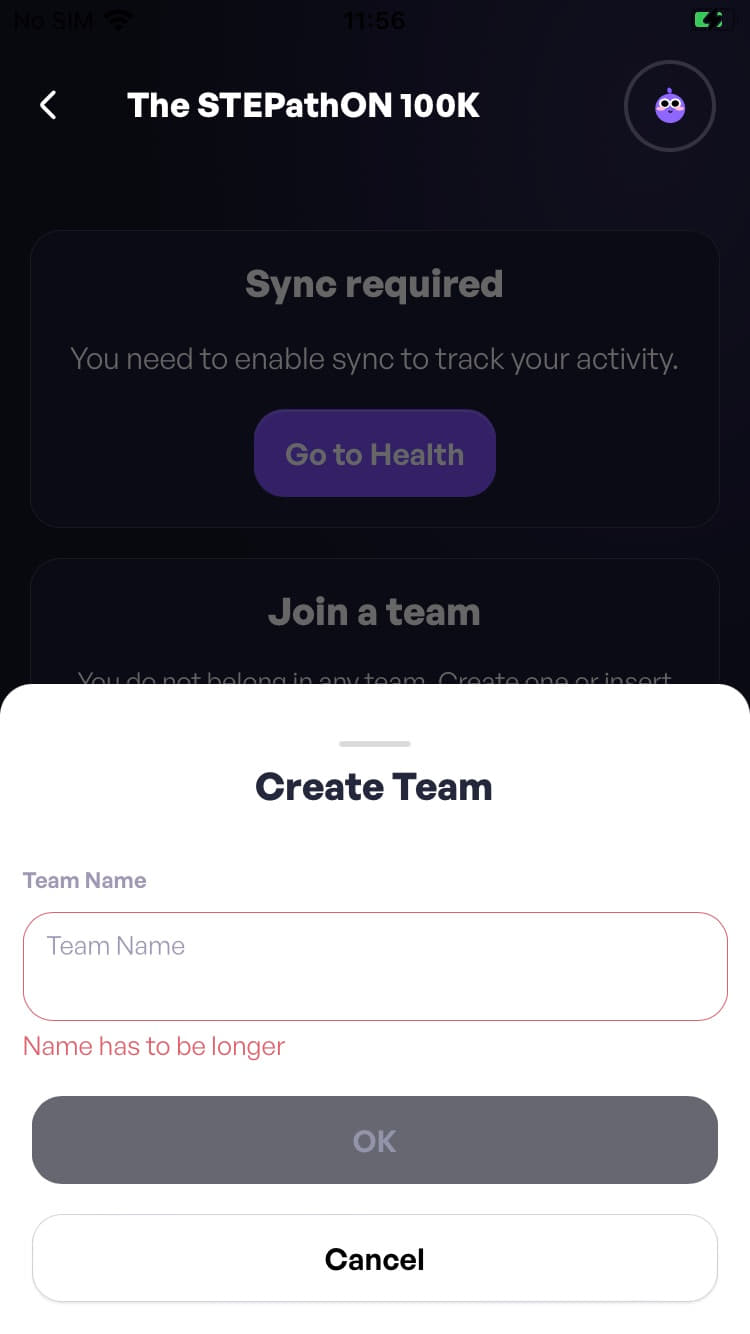
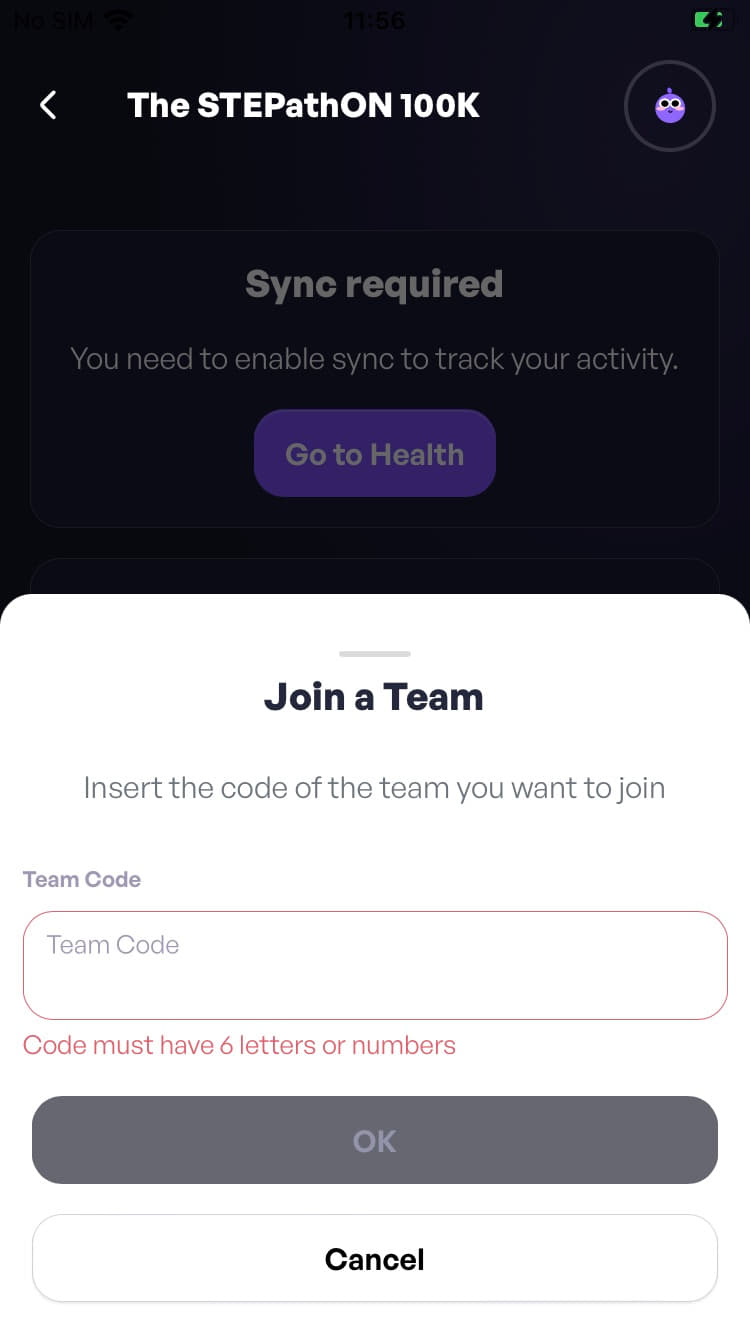
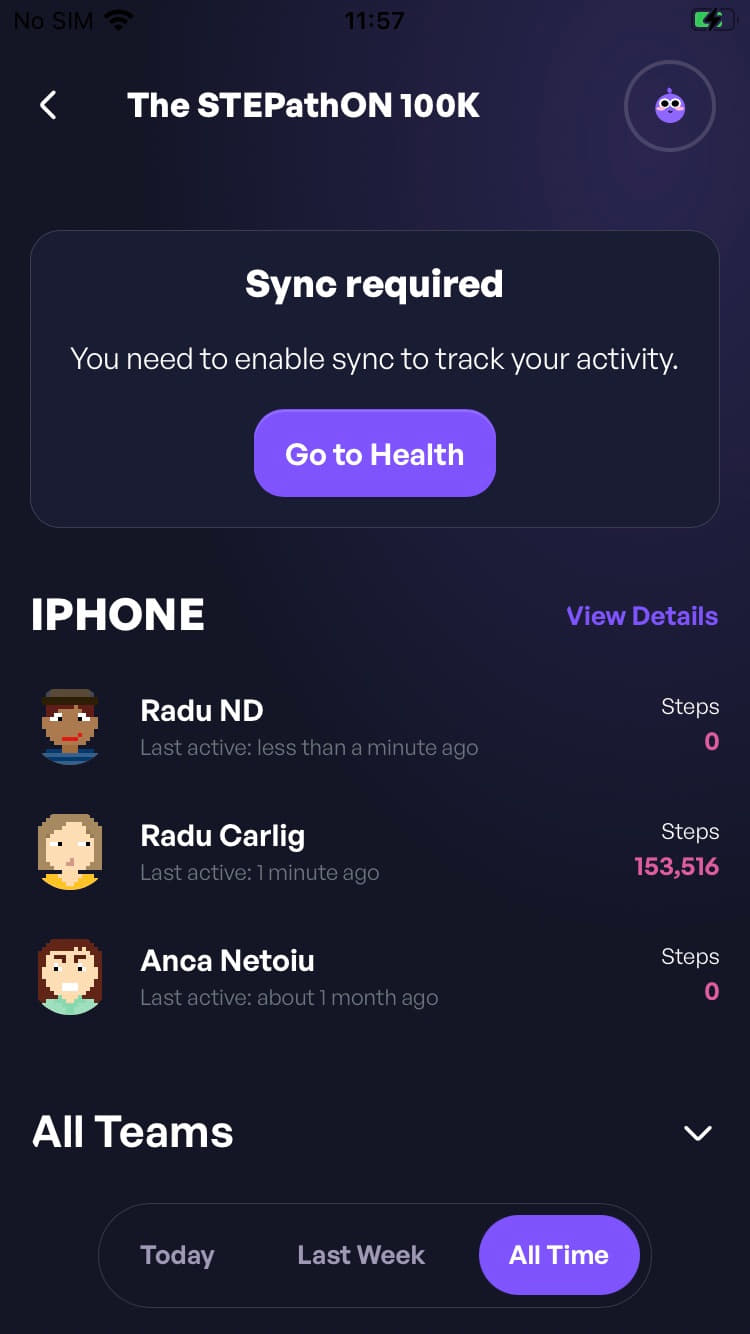
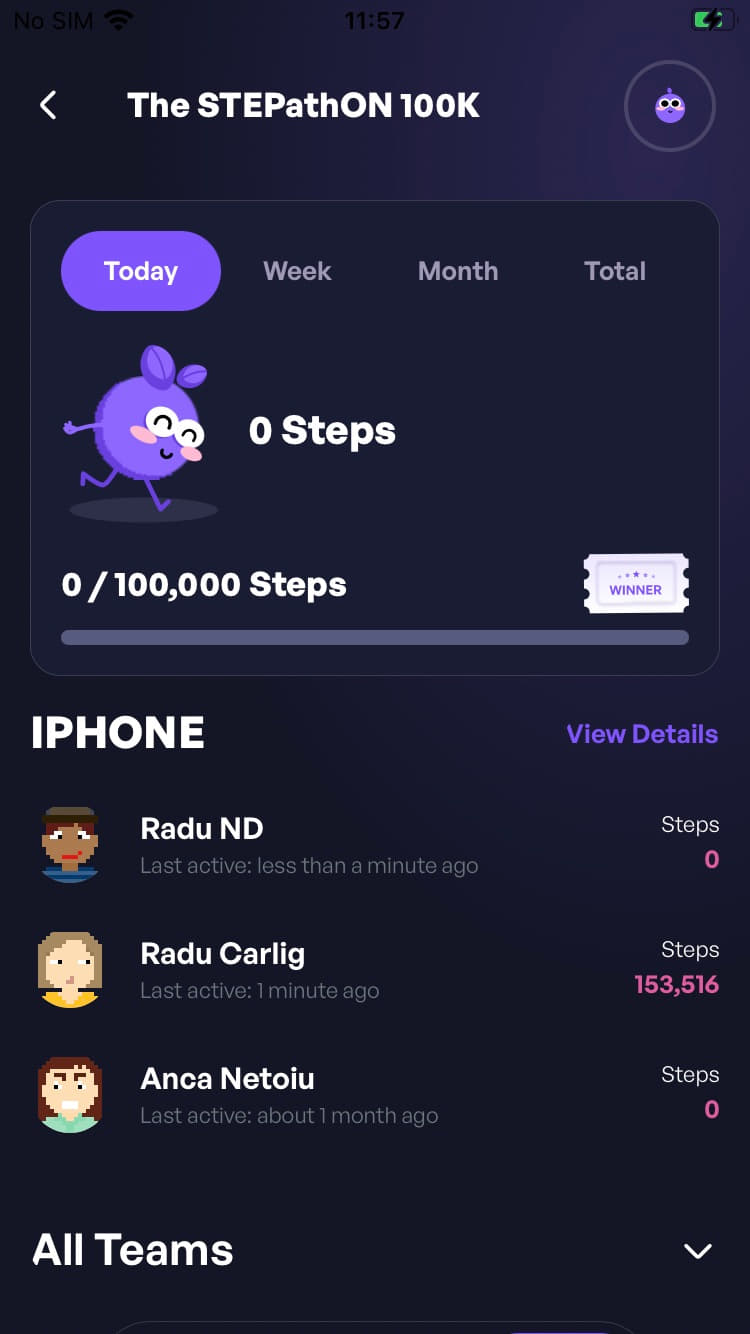
Step 6: After you have created a team or joined an existing team, you will see three sections:
- My Activity This displays all the steps you have taken during the competition.
- Team Activity If you are part of a team, this section shows the team members and the number of steps each member has taken. To invite others to your team, press the Invite button and you will receive a code which you can send to colleagues to join the team. The maximum number of members is set per competition (usually 3) and is shown in the competition details.
- The real-time leaderboard See where your team is positioned in the overall leaderboard and in the internal leaderboard. See where you individually rank in the overall leaderboard and in the internal leaderboard.
I have an iOS phone, how do I enable the steps tracking service?
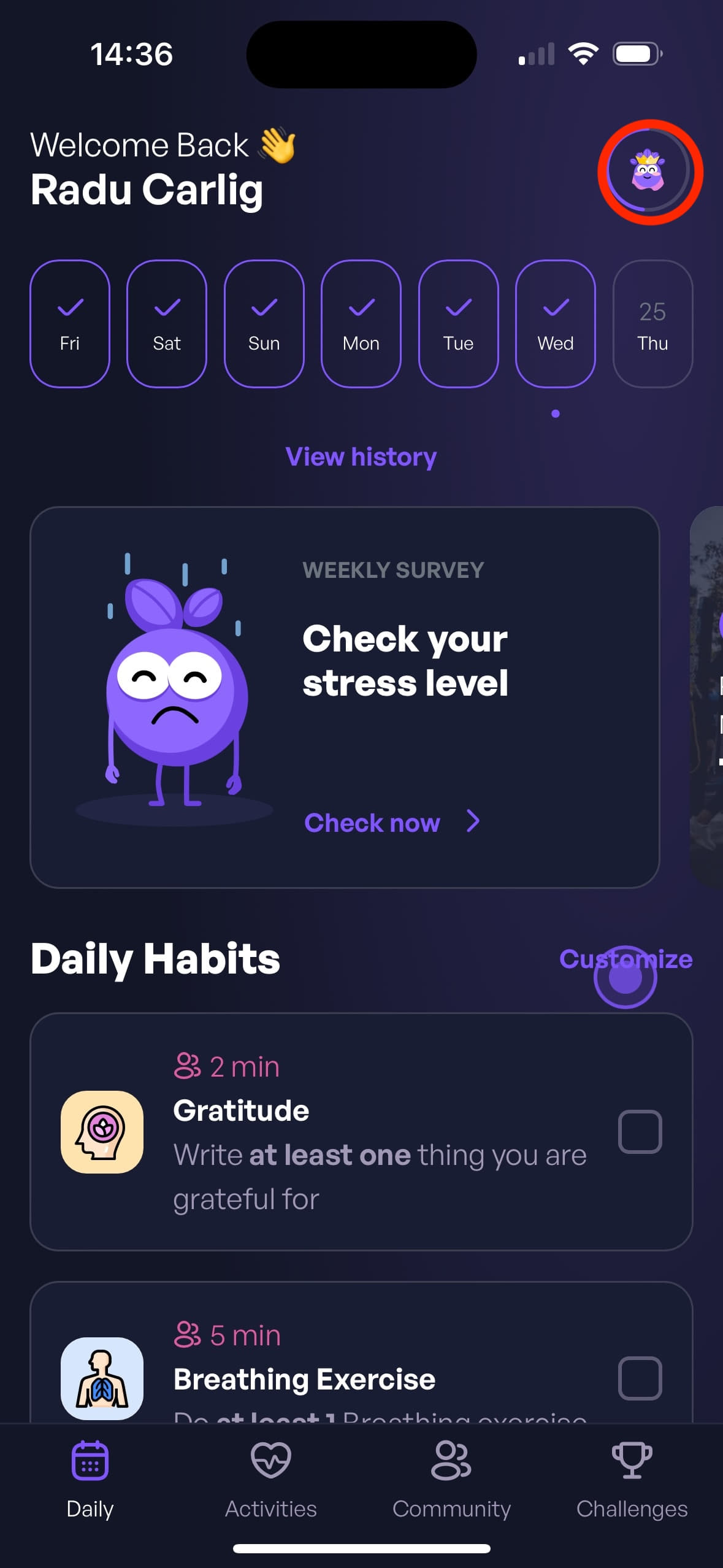
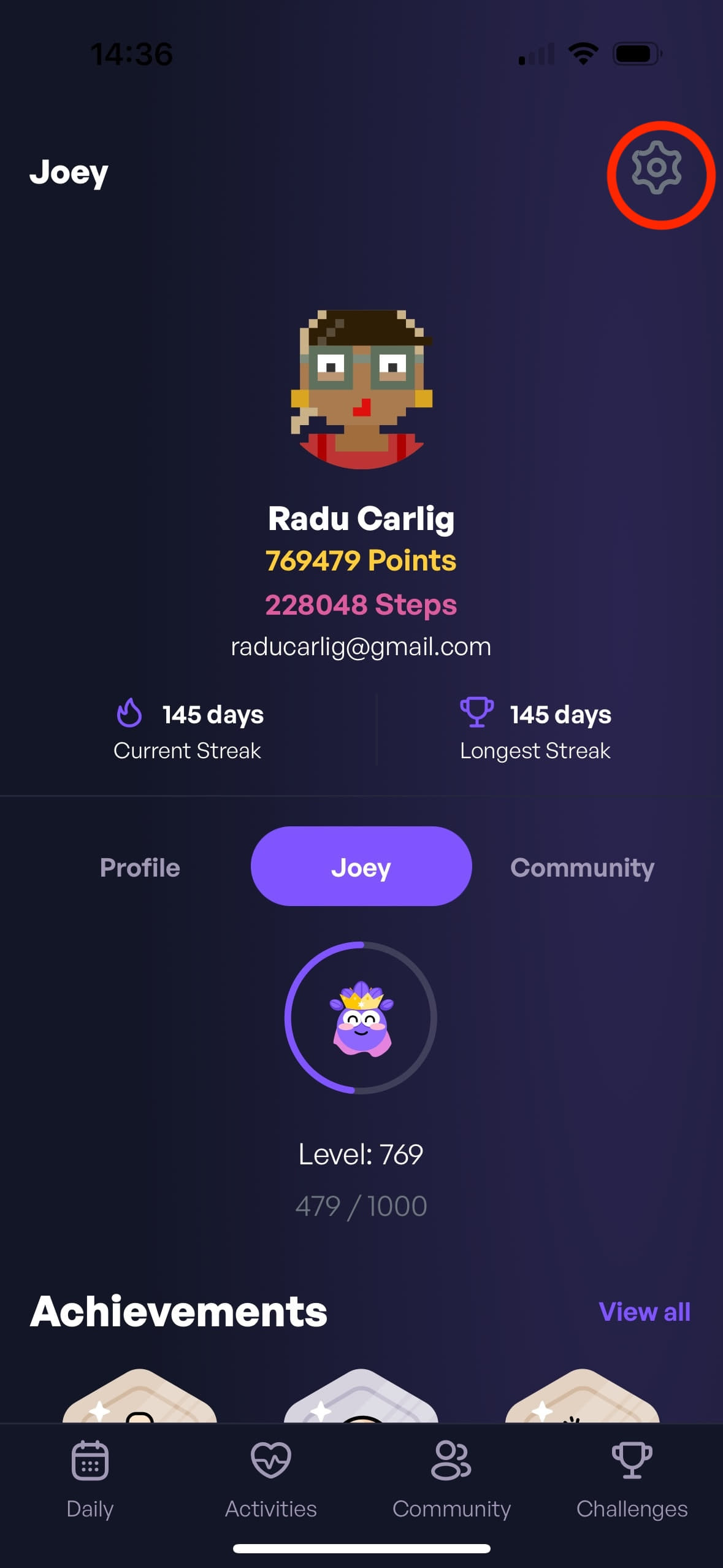
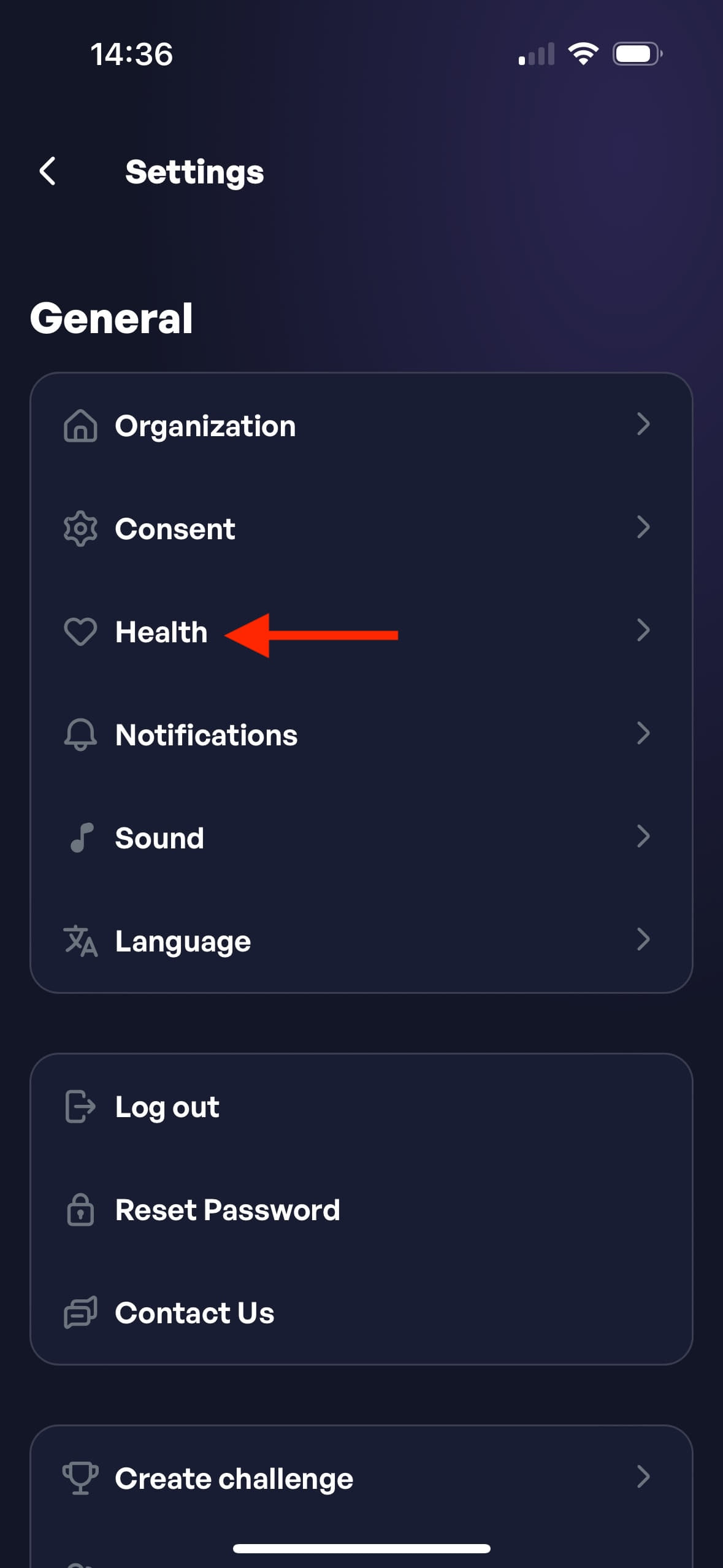
Step 1: Open the app and go to the Health Settings by navigating Profile -> Settings -> Health.
Step 2: Tap the Sync with Health button.
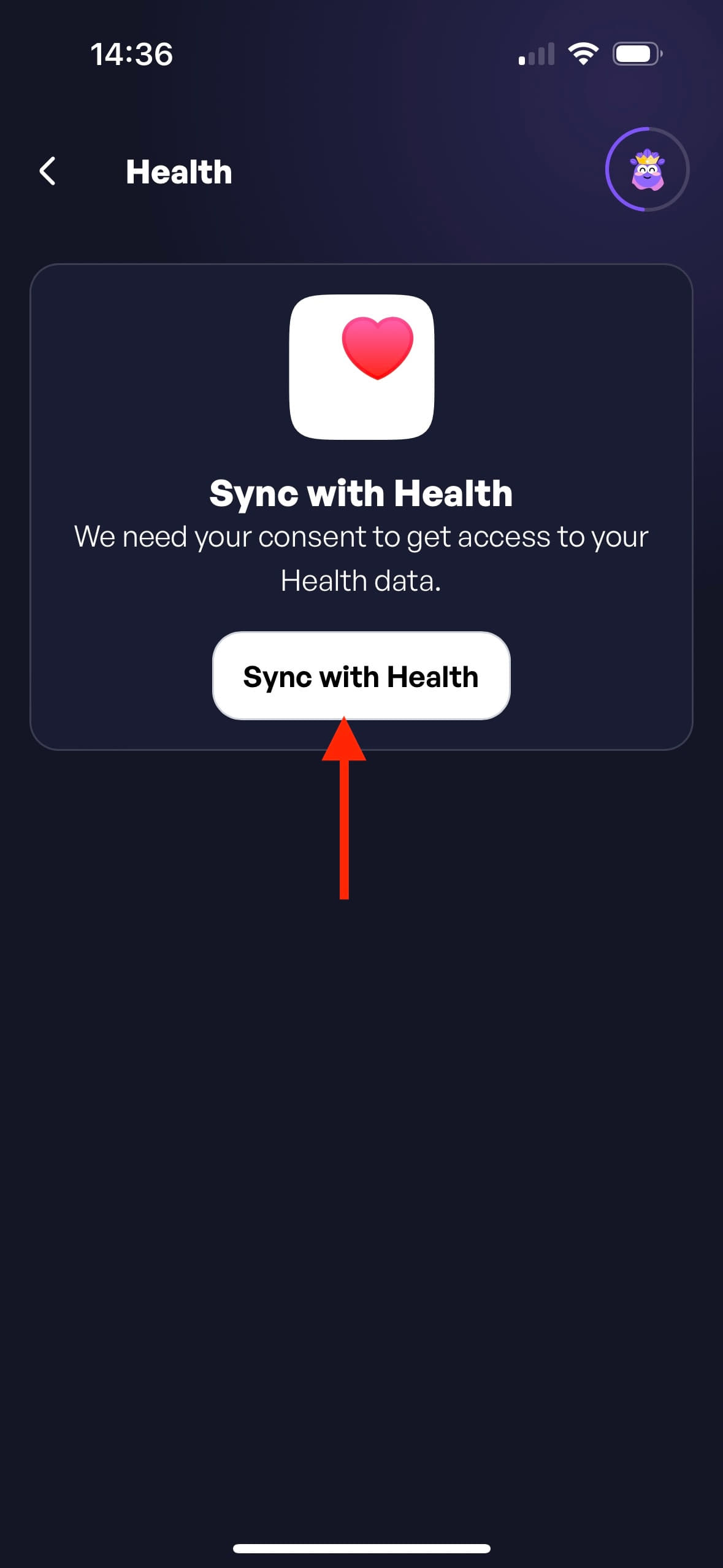
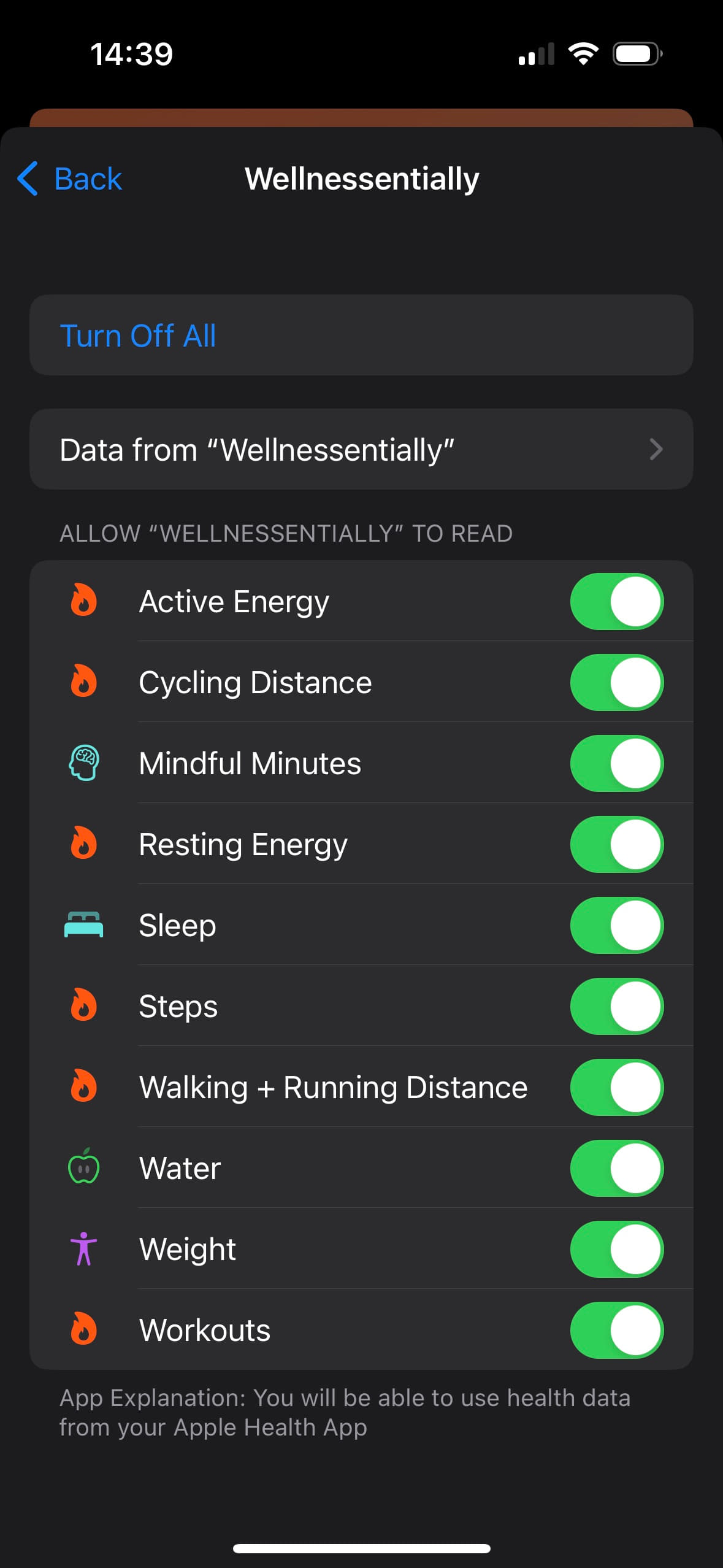
Step 3: Give STEPathON permission to read Steps from Apple Health.
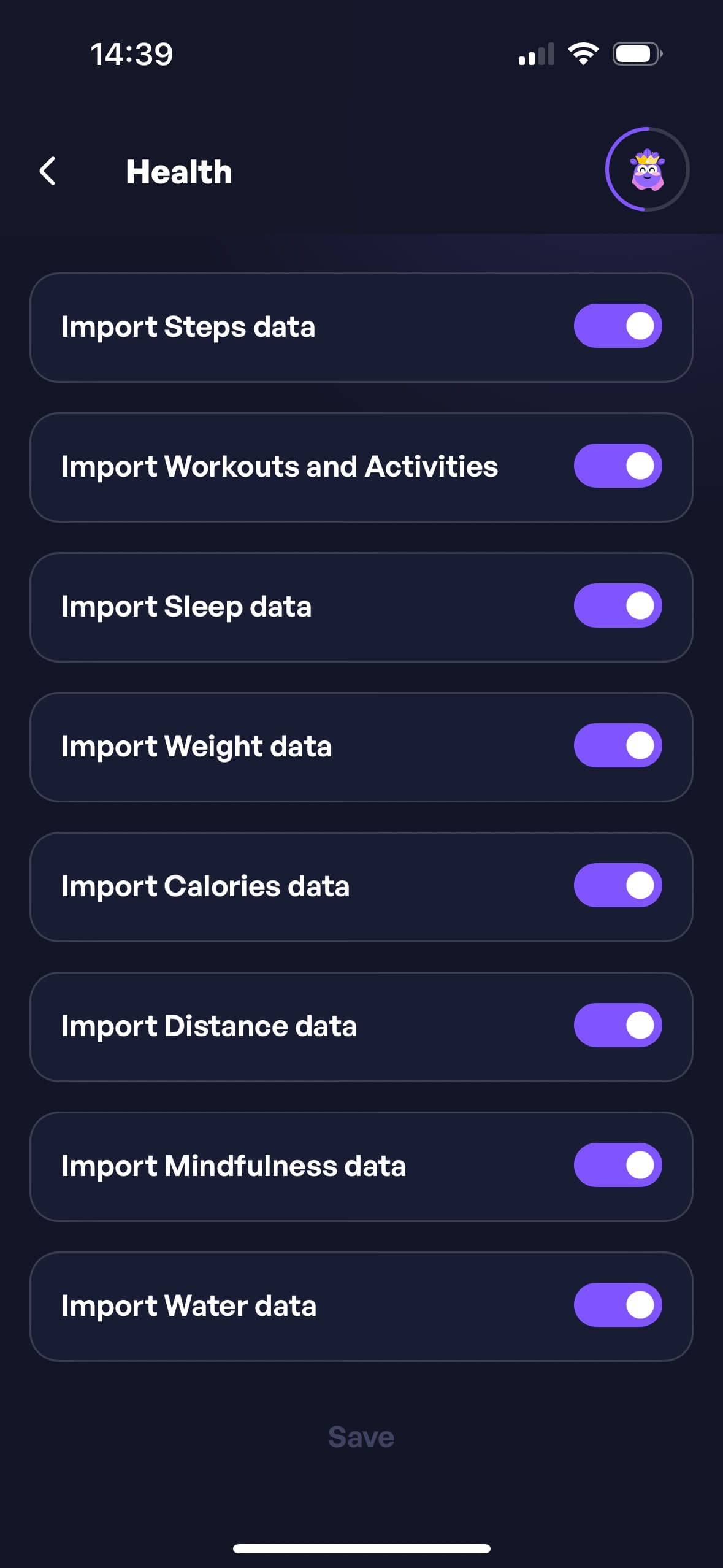
Step 4: If you were successful, you will see the following screen, where the Import Steps Data is checked.
I have an Android phone with Google Play Services, how do I enable the steps tracking service?
Important: Google Fit is being phased out by Google and is no longer a data source for STEPathON. Use Health Connect. If Google Fit is still installed, revoke its Write permission for Steps in Health Connect (Data and access -> Steps -> Access), otherwise it rewrites steps from other sources and you see them doubled.
Step 1: Open the app and go to the Health Settings by navigating Profile -> Settings -> Health.
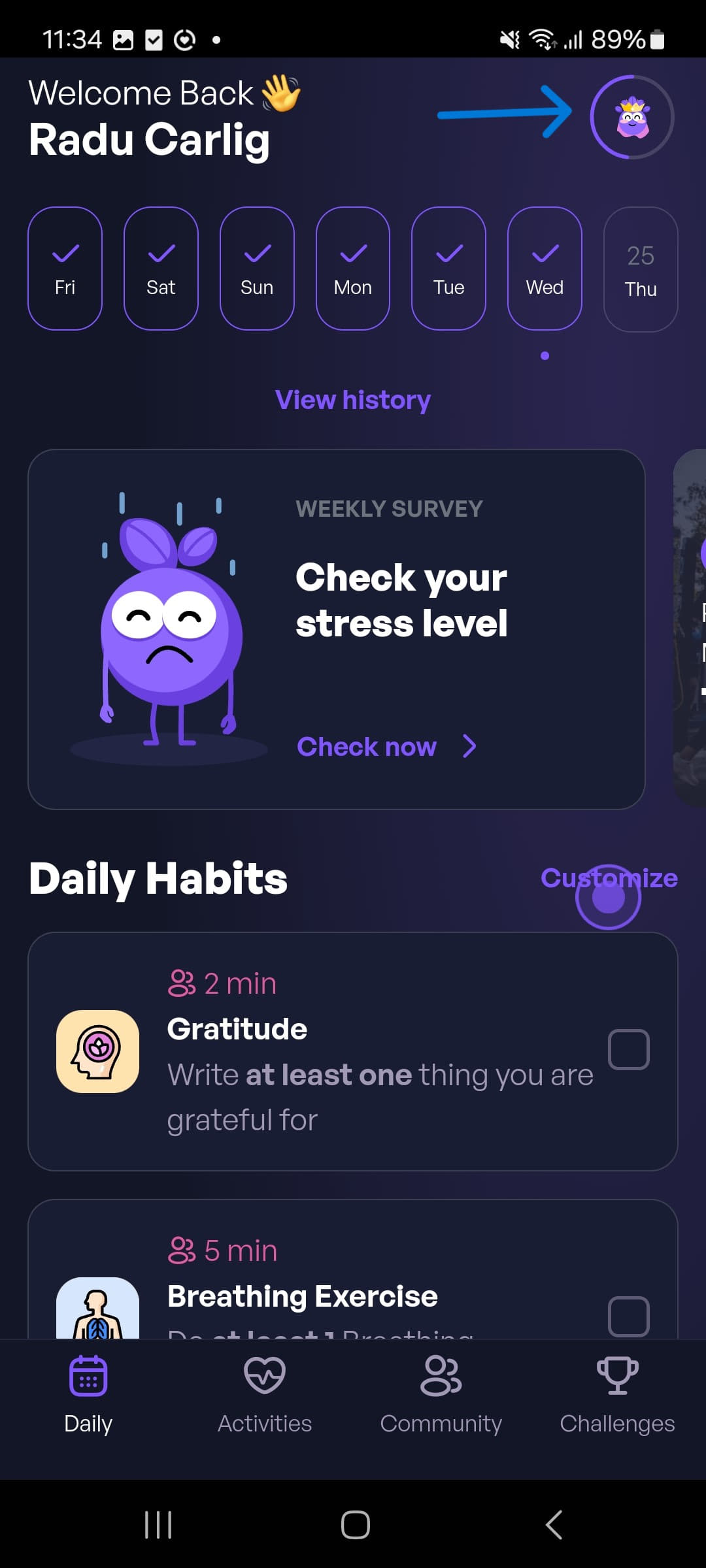
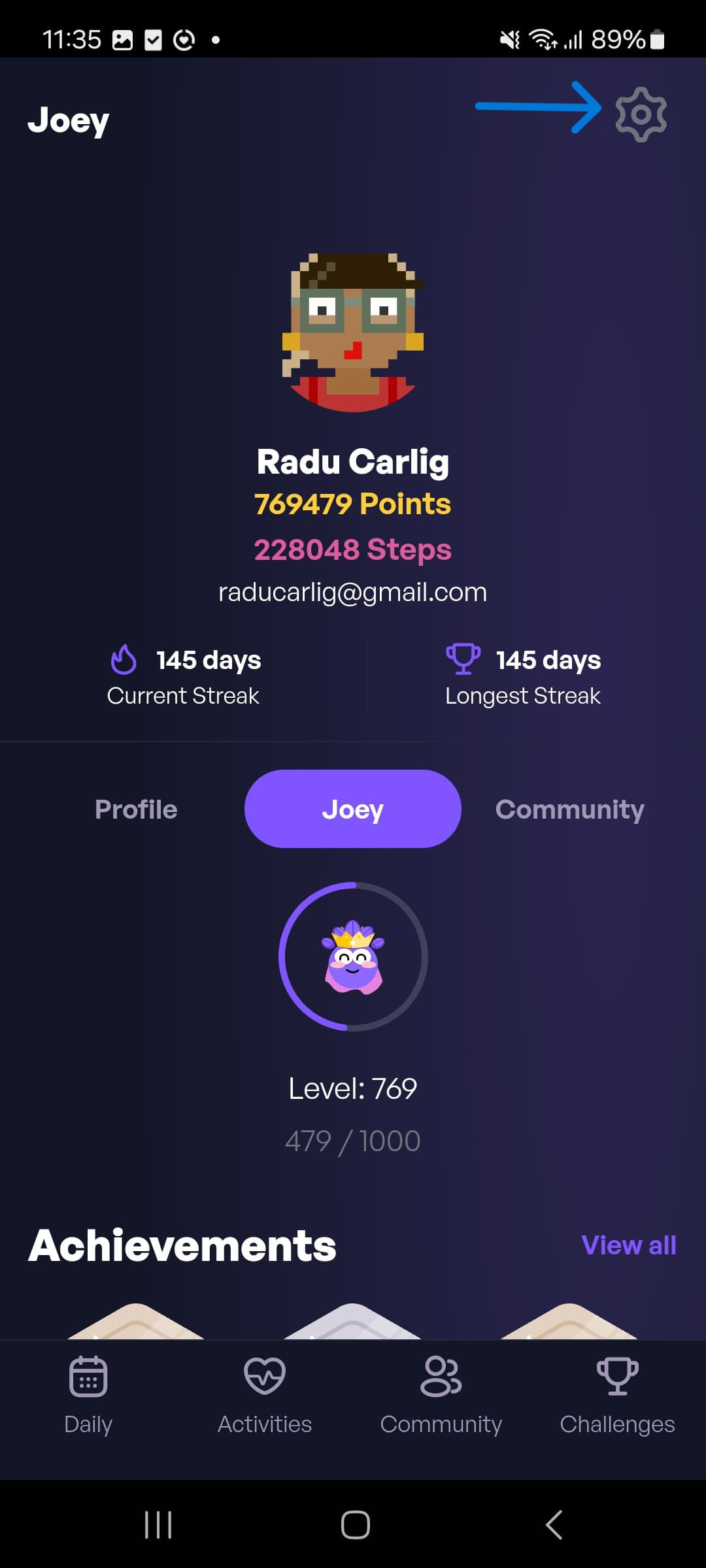
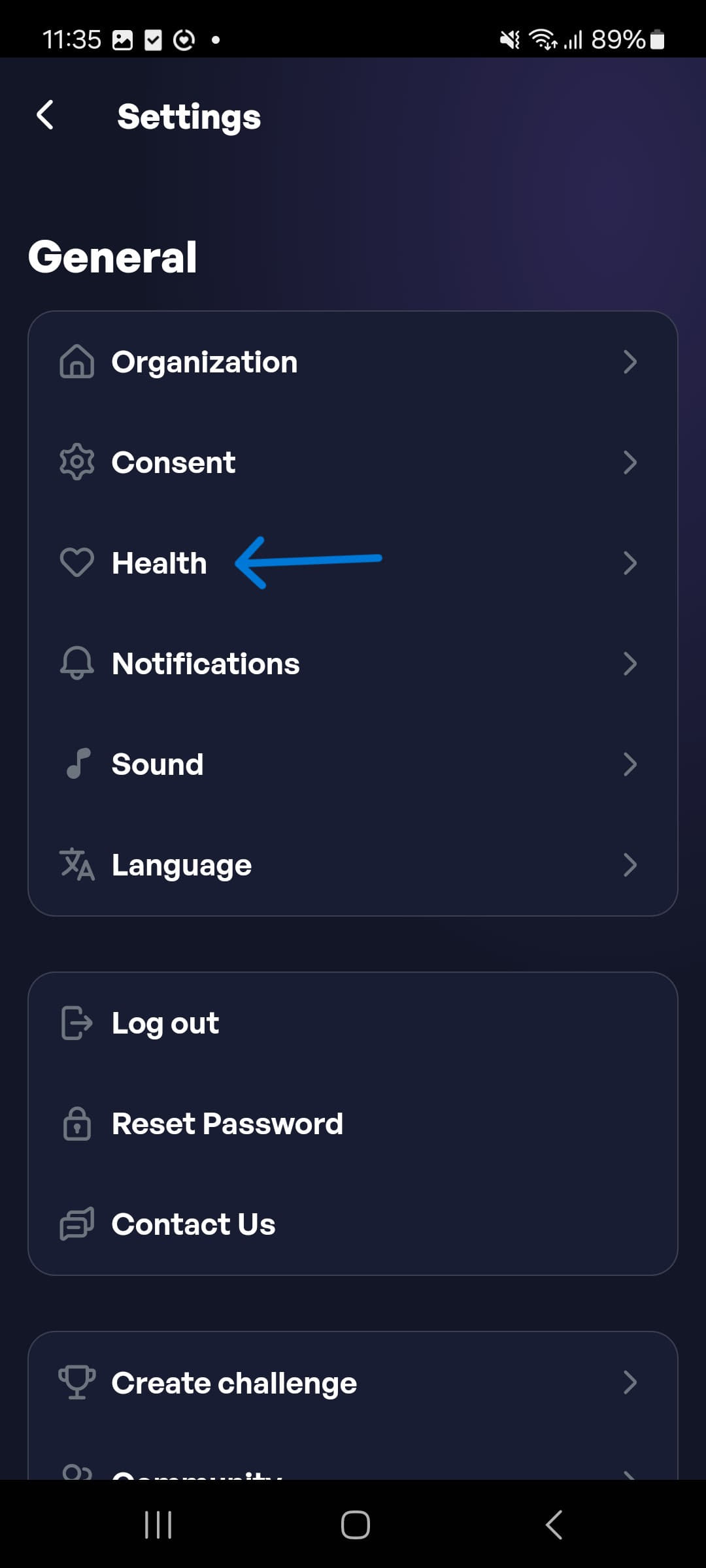
Step 2: Tap on one of the available health services to activate step tracking.
Step 3: Follow the on-screen instructions to grant the necessary permissions.
Step 4: If you were successful, you will see the steps being recorded in the app.
Garmin users: If you use a Garmin watch or tracker, connect Garmin Connect to Health Connect and set Garmin as the first data source for steps in Health Connect. See Can I use Garmin with Android? for details.
Back to ContentsI have a Huawei Phone without Google Play Services, how do I enable the steps tracking service?
Step 1: Open the app and go to the Health Settings by navigating Profile -> Settings -> Health.
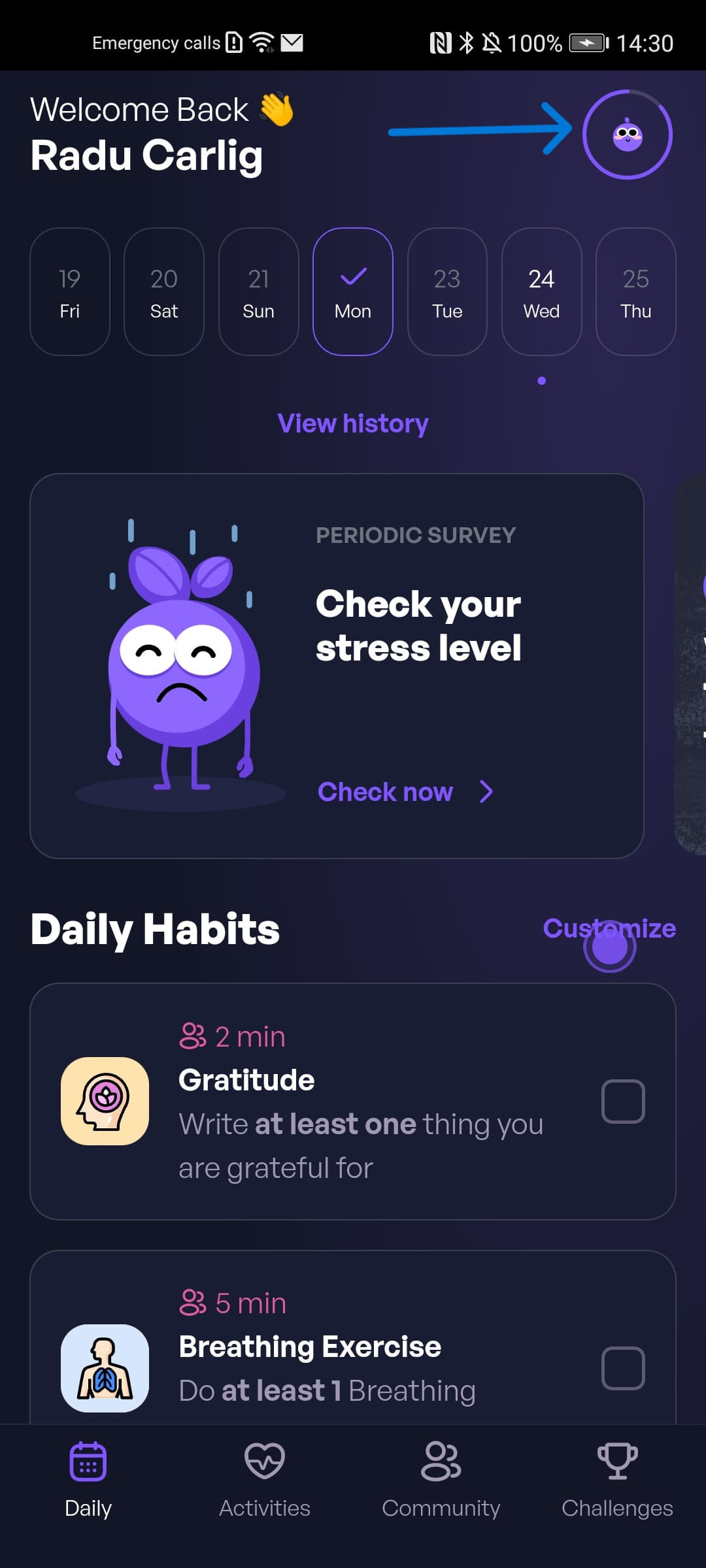
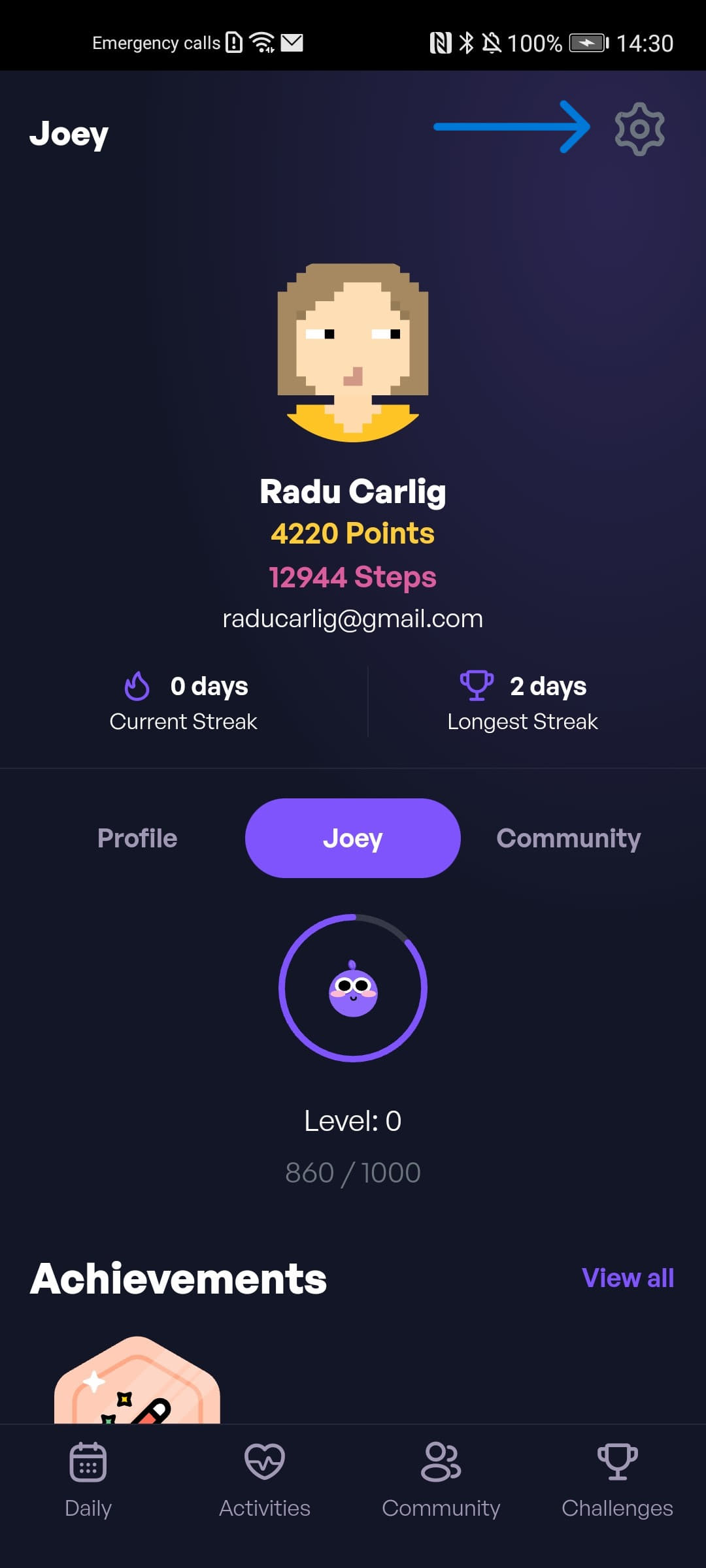
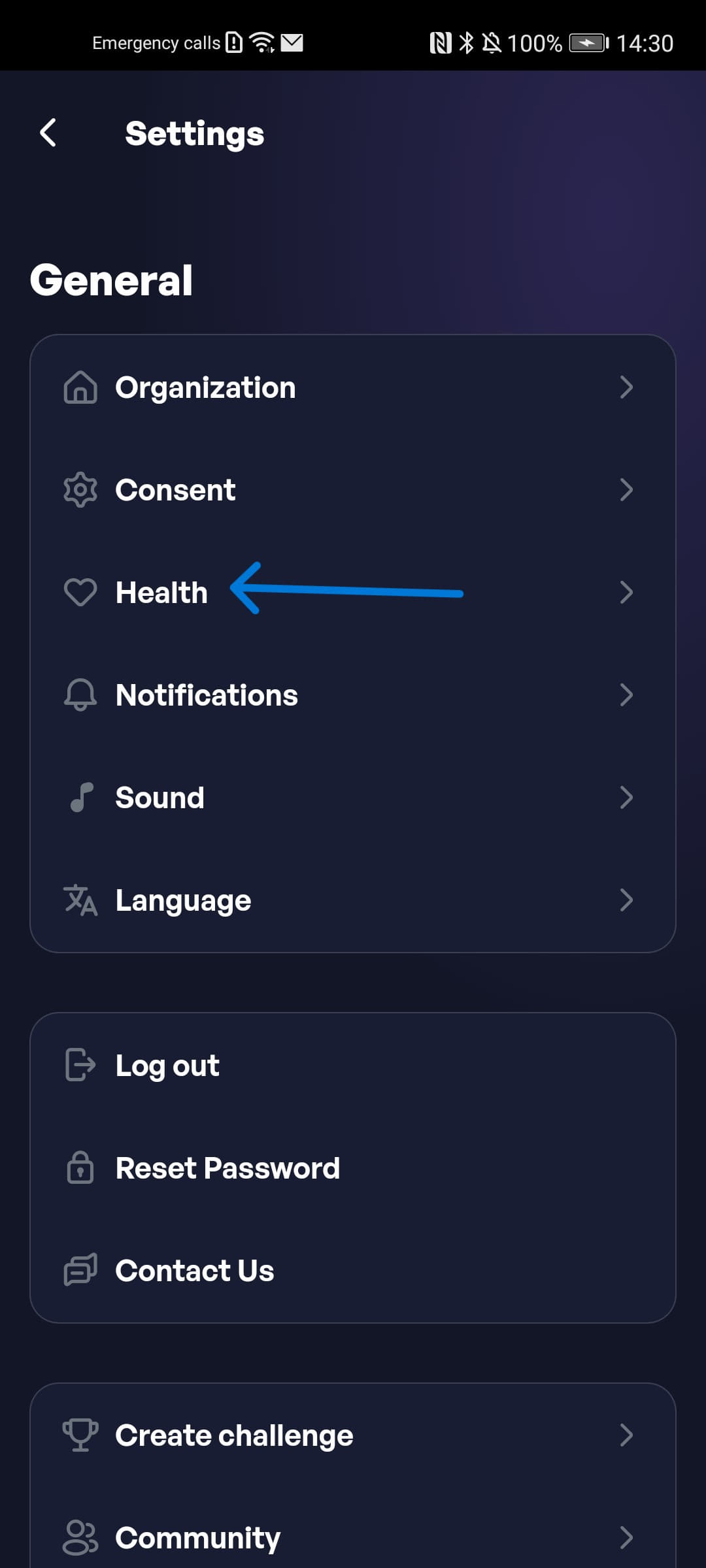
Step 2: Tap the Activate pedometer button.
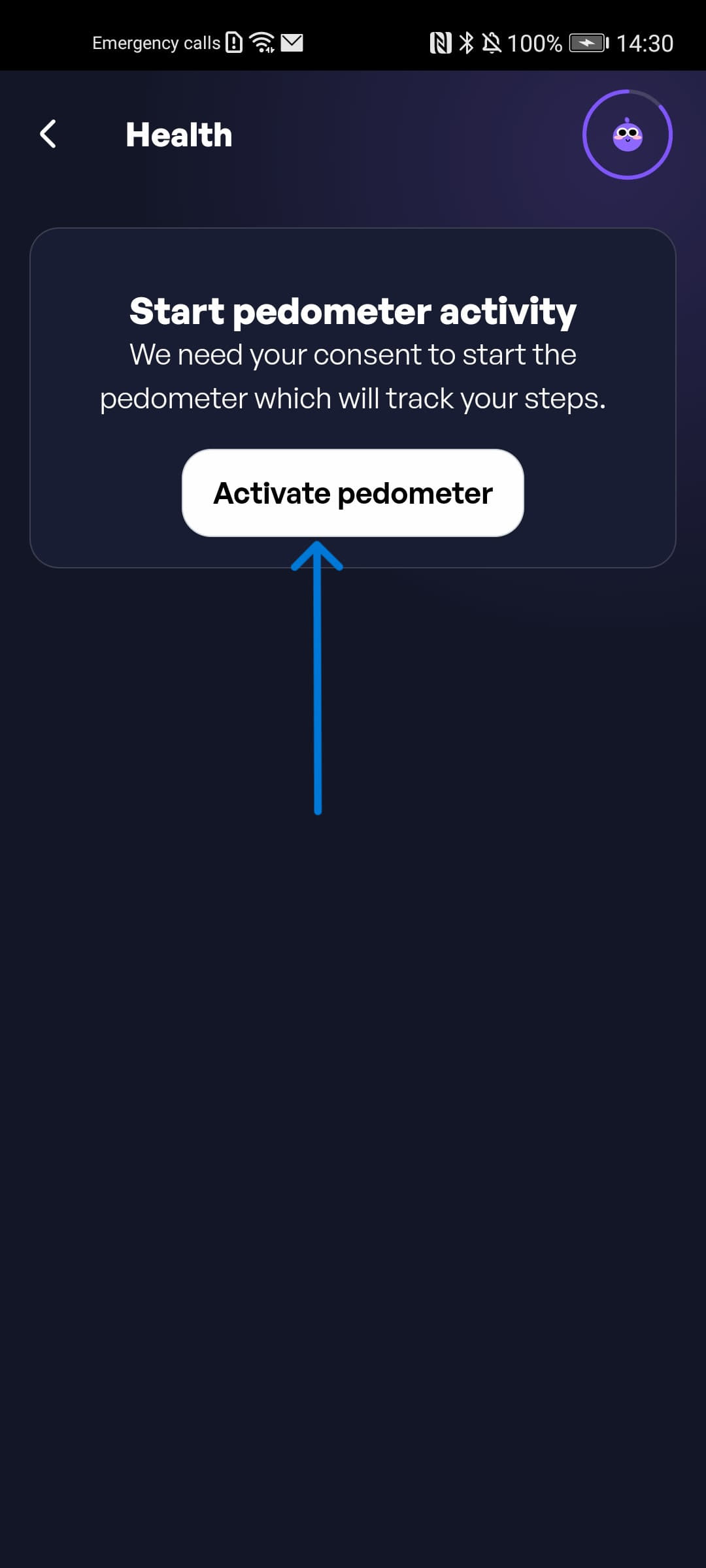
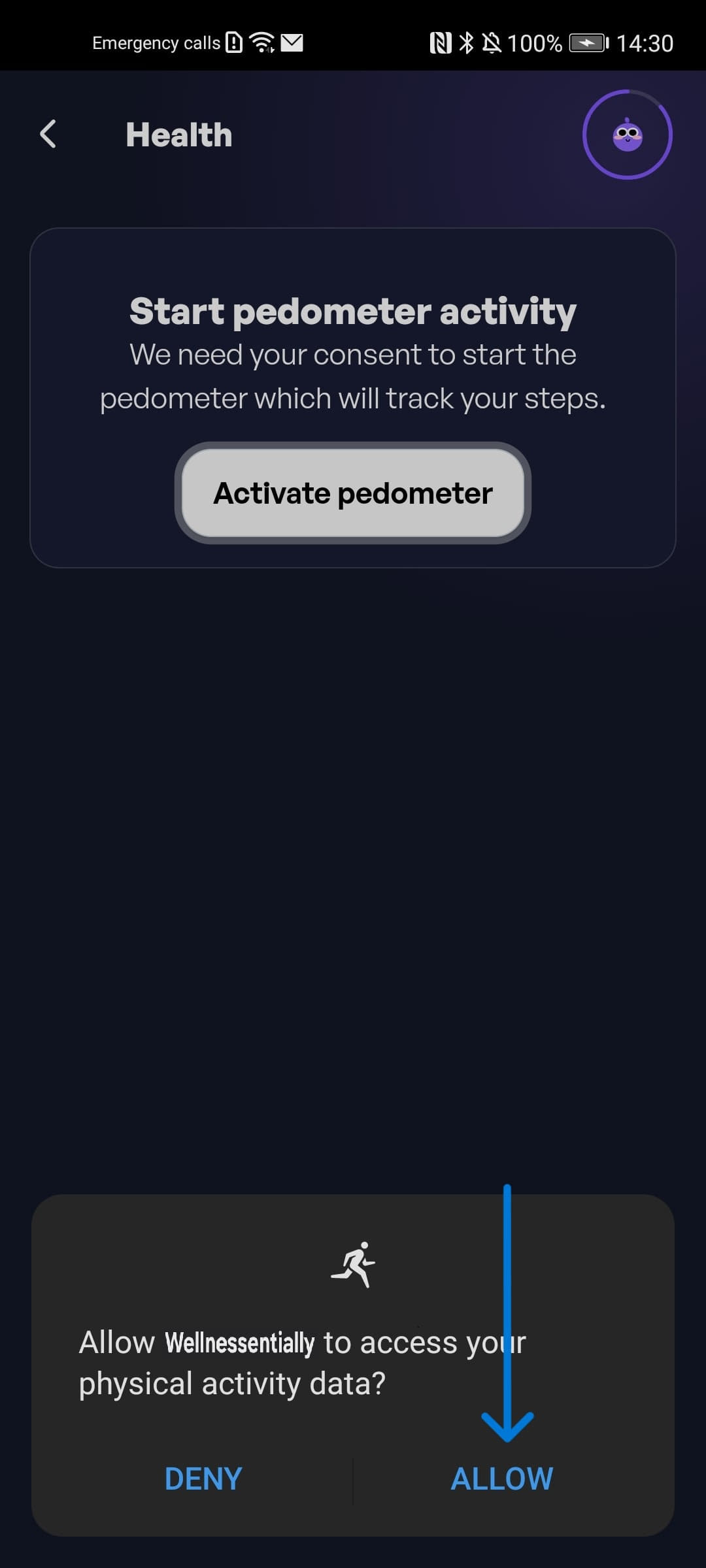
Step 3: Tap the Allow button to give STEPathON permission to read data from the phone's pedometer.
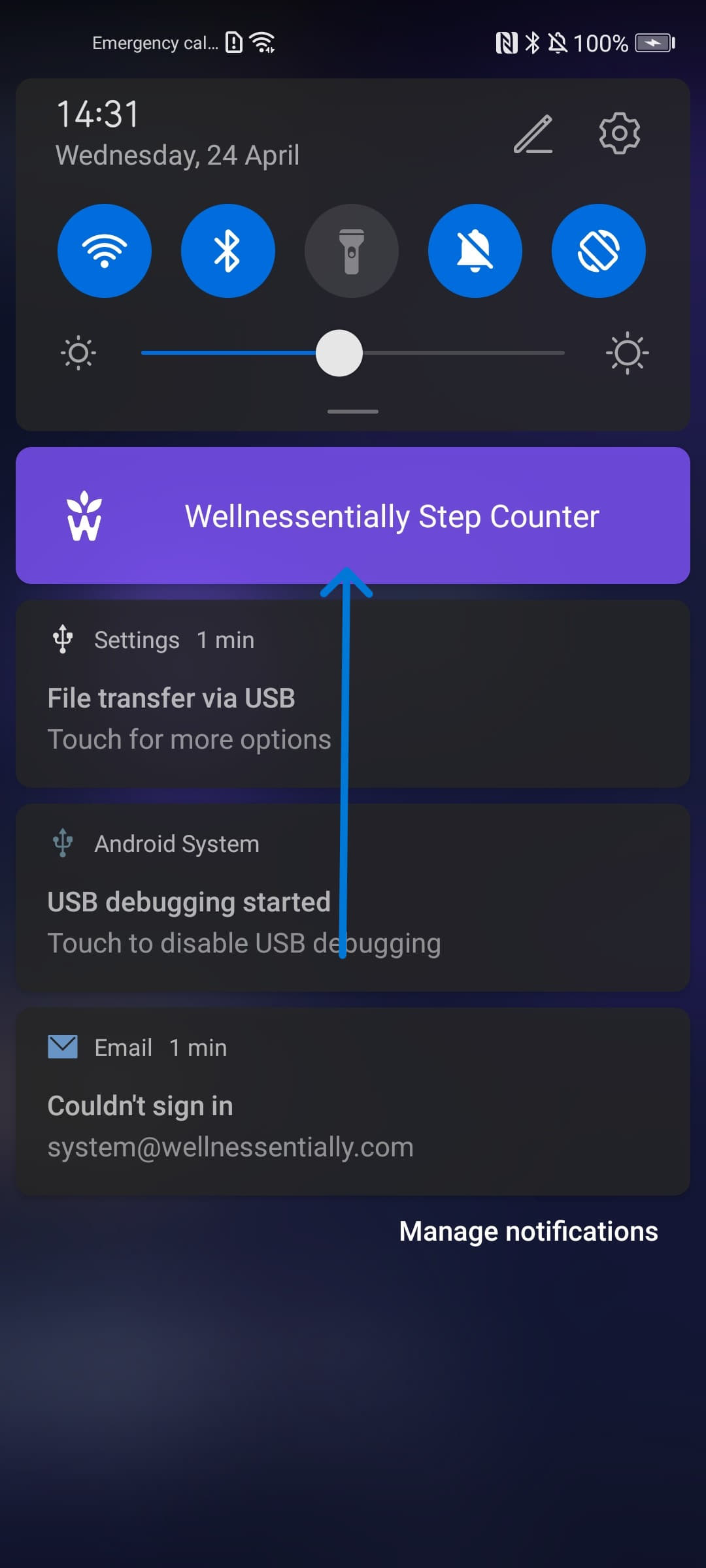
Step 4: If you were successful, you will be able to see the pedometer service started in the notification bar.
Step 5: In the app, check that the steps are being recorded.
I have an Android Phone, but I am using another service to track my steps, how do I setup the steps tracking service?
If you previously used Google Fit, move your sync to Health Connect. You can synchronise the steps from the other service to Health Connect and we will take them from there. We recommend using the Health Sync app to sync the steps from the other service to Health Connect. Here is how to set it up:
Step 1: Download the Health Sync app from the Google Play Store.
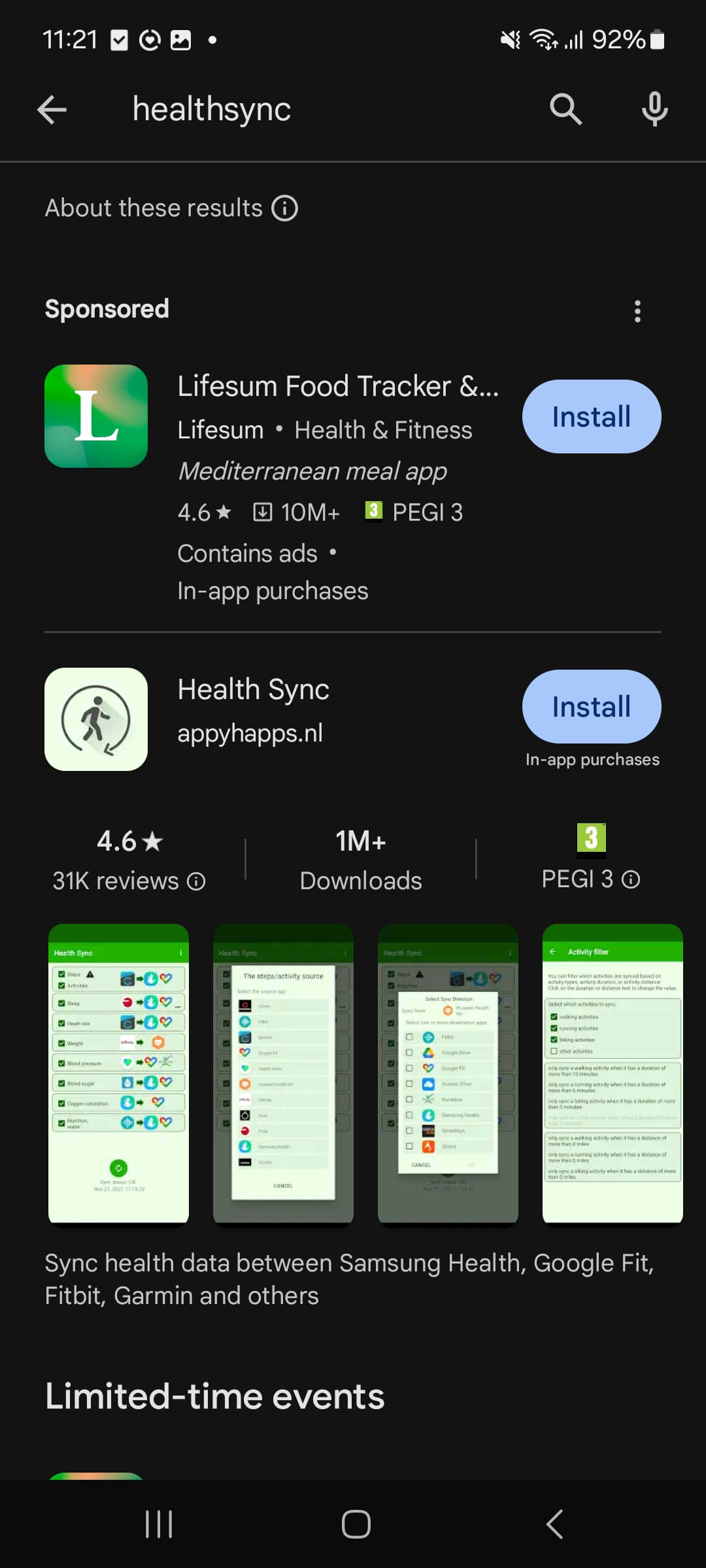
Step 2: Configure the Health Sync app. Choose the provider from which you want to sync the steps and the destination where you want to sync them.
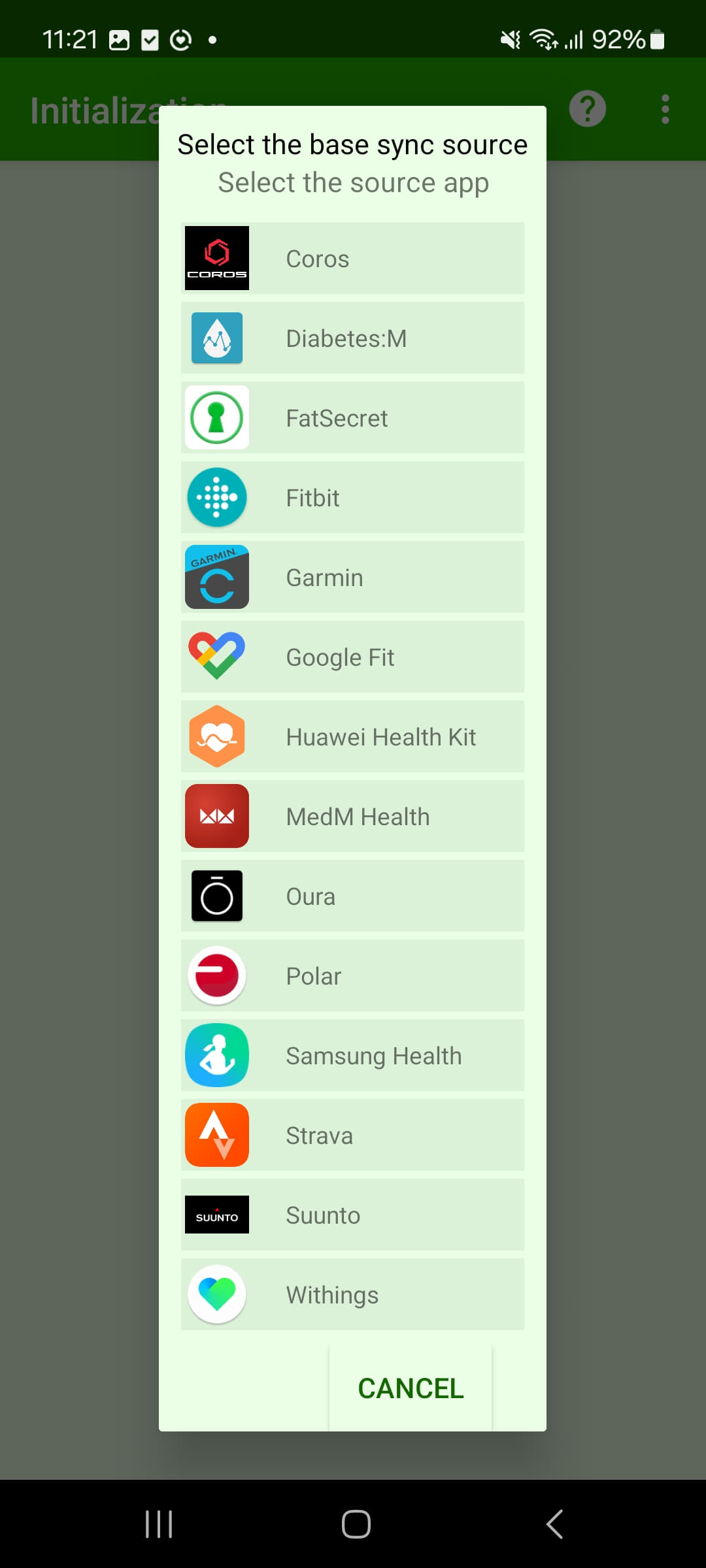
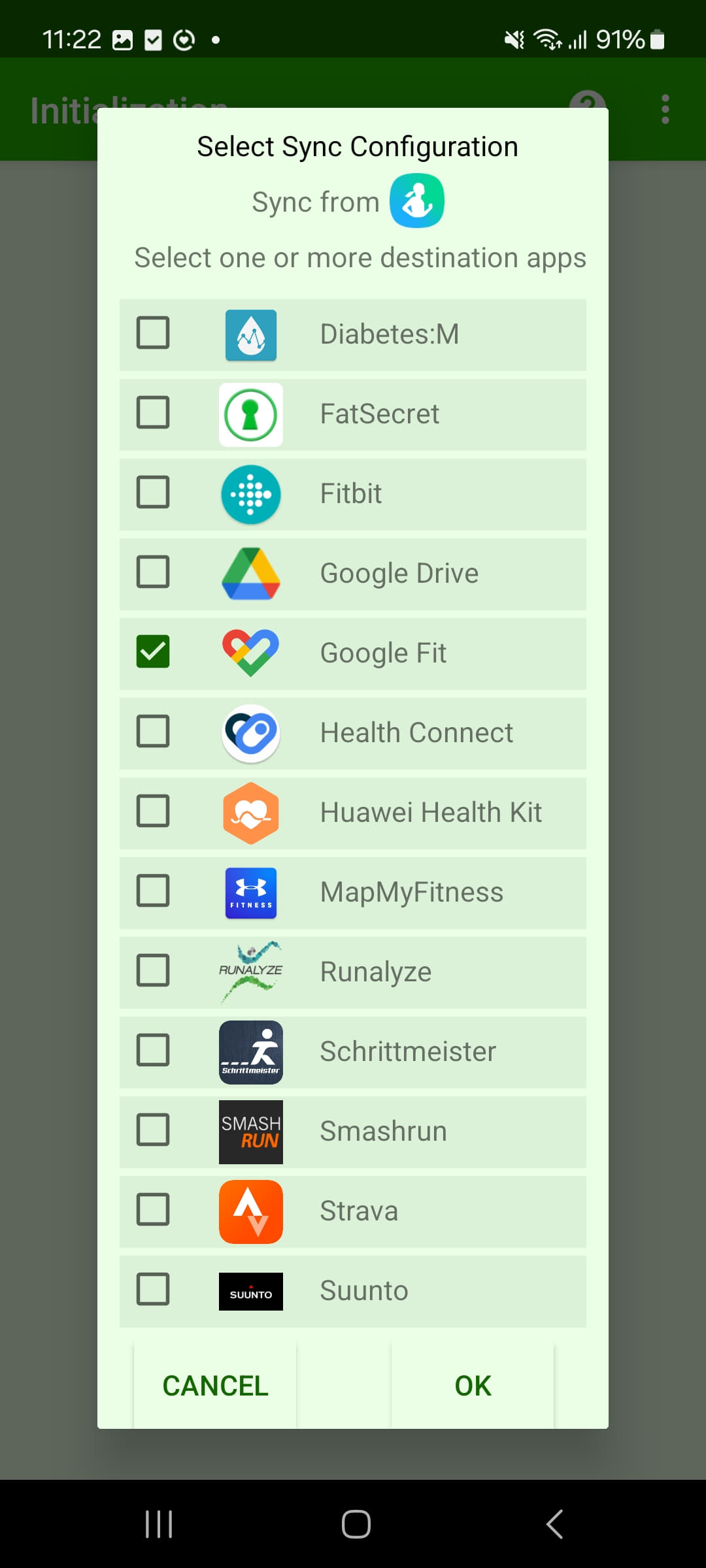
Step 3: Go through the setup process and give the necessary permissions to the app.
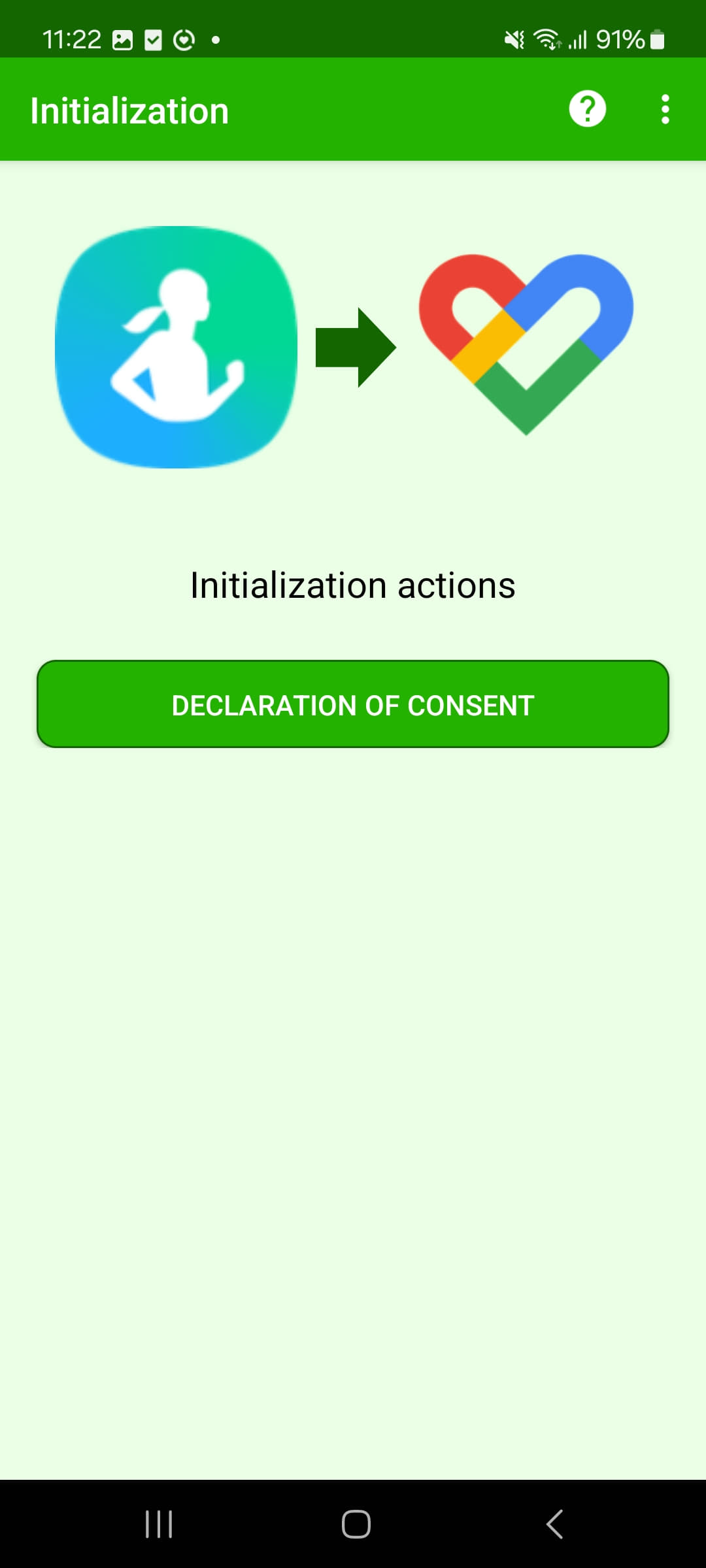
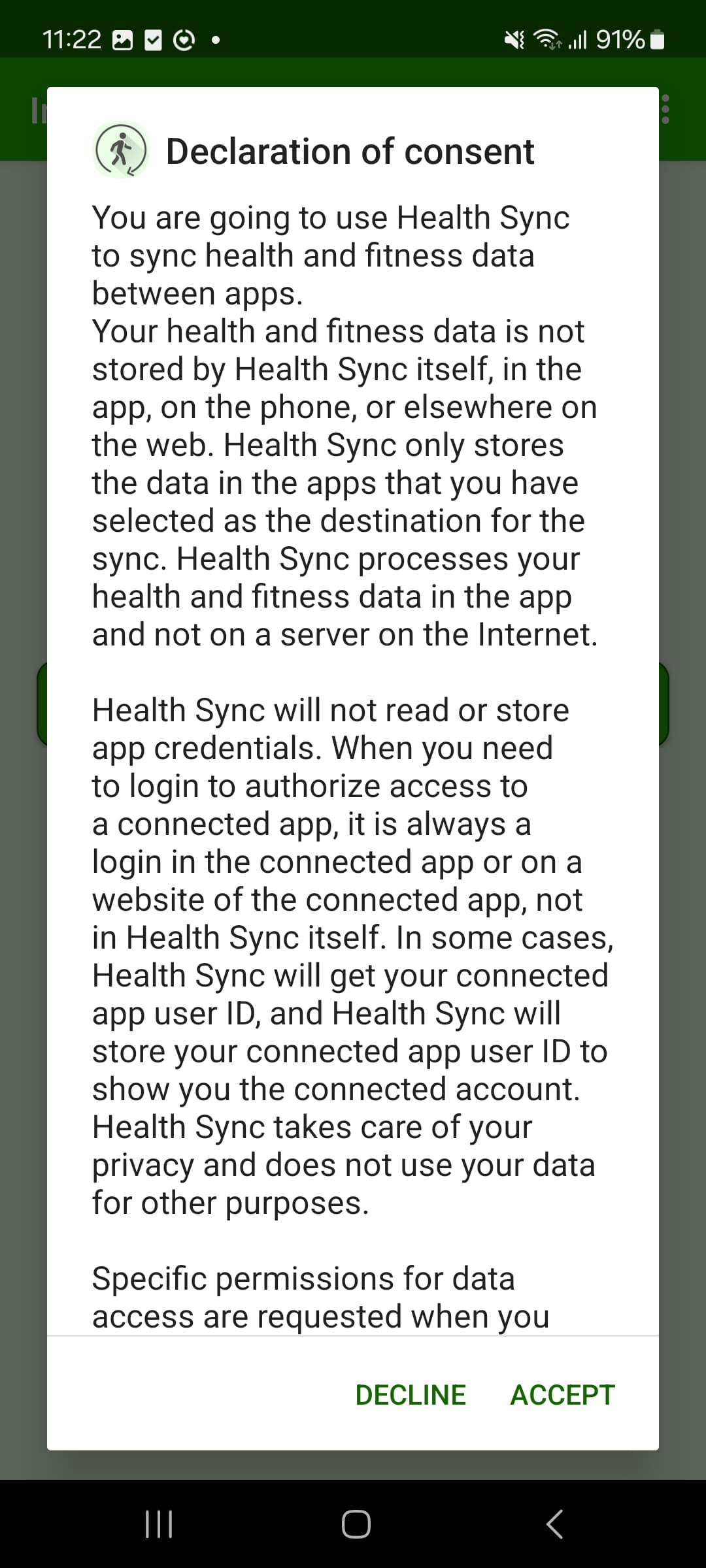
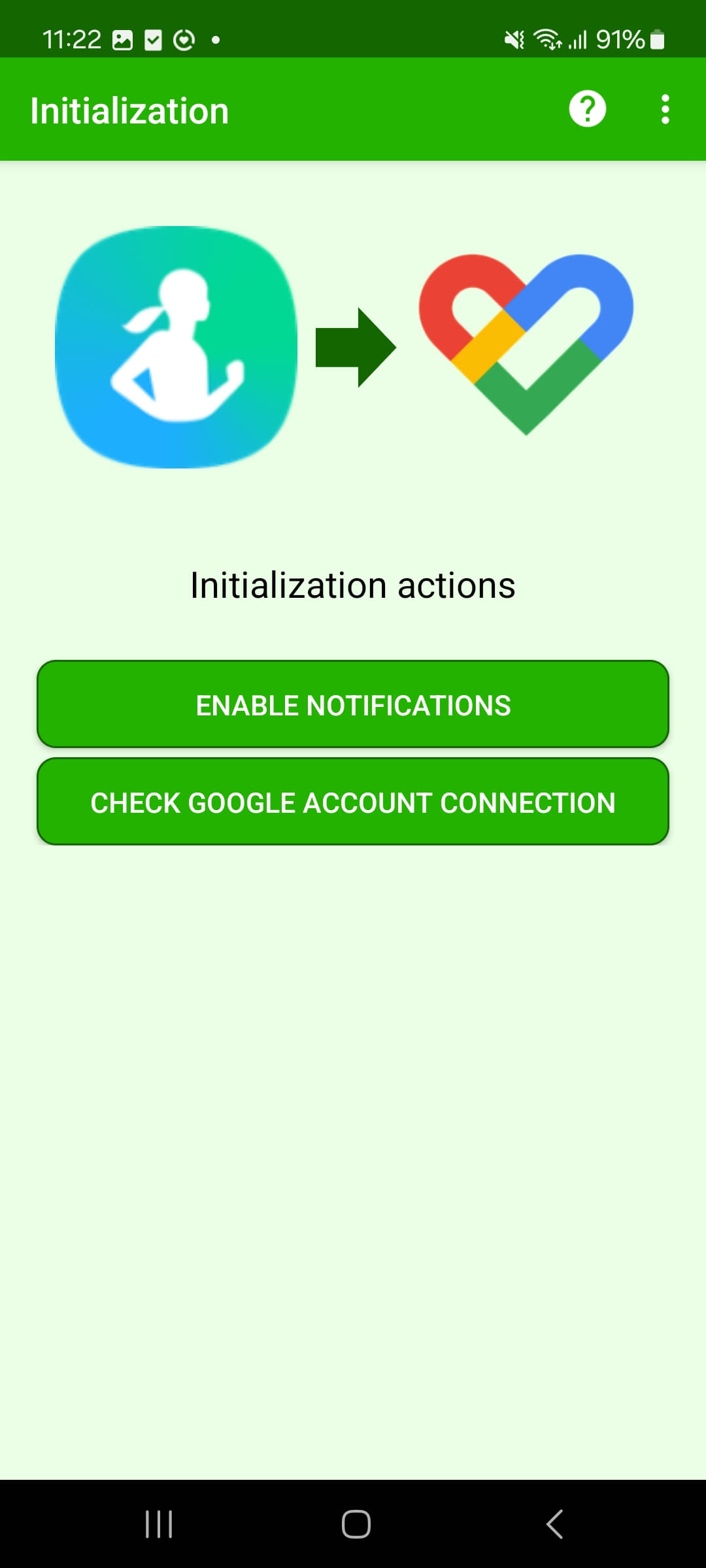
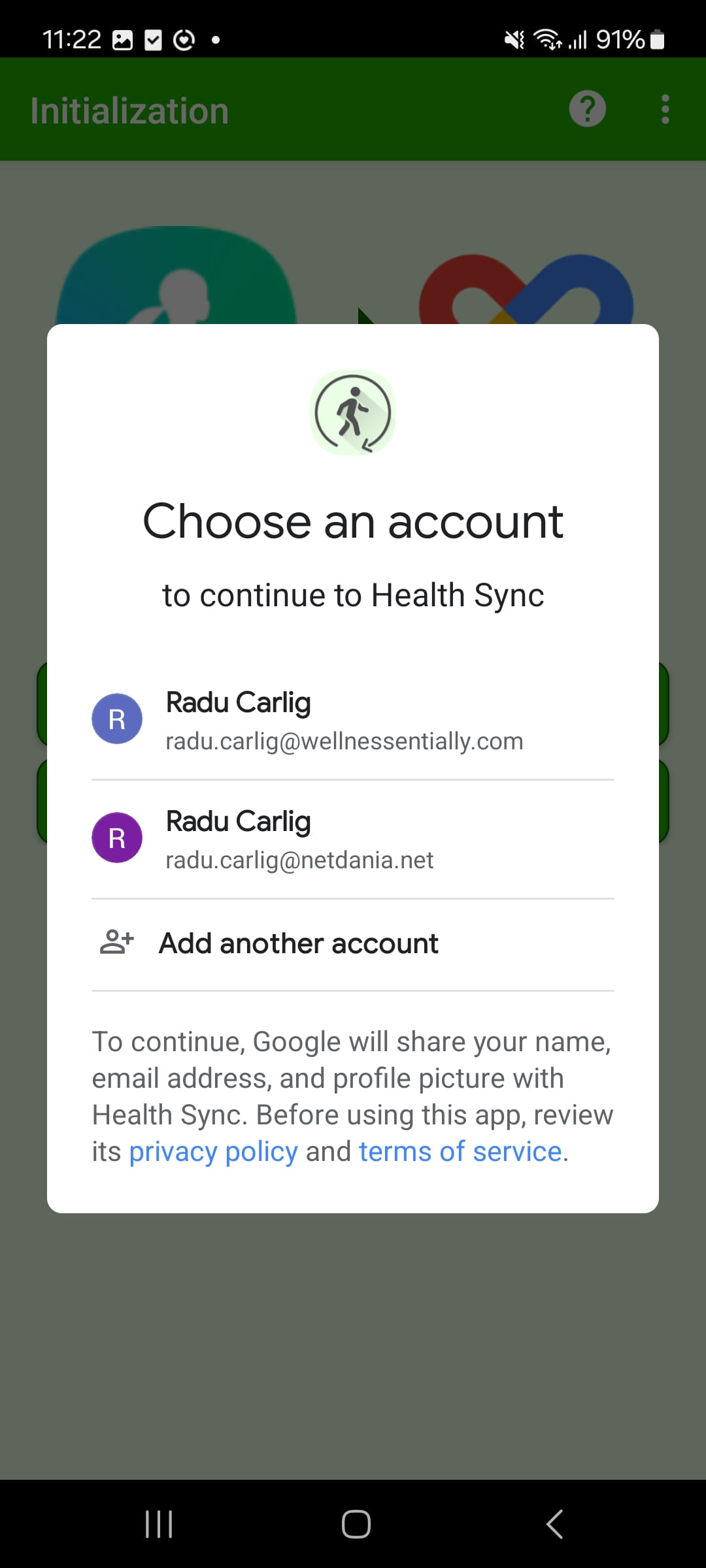
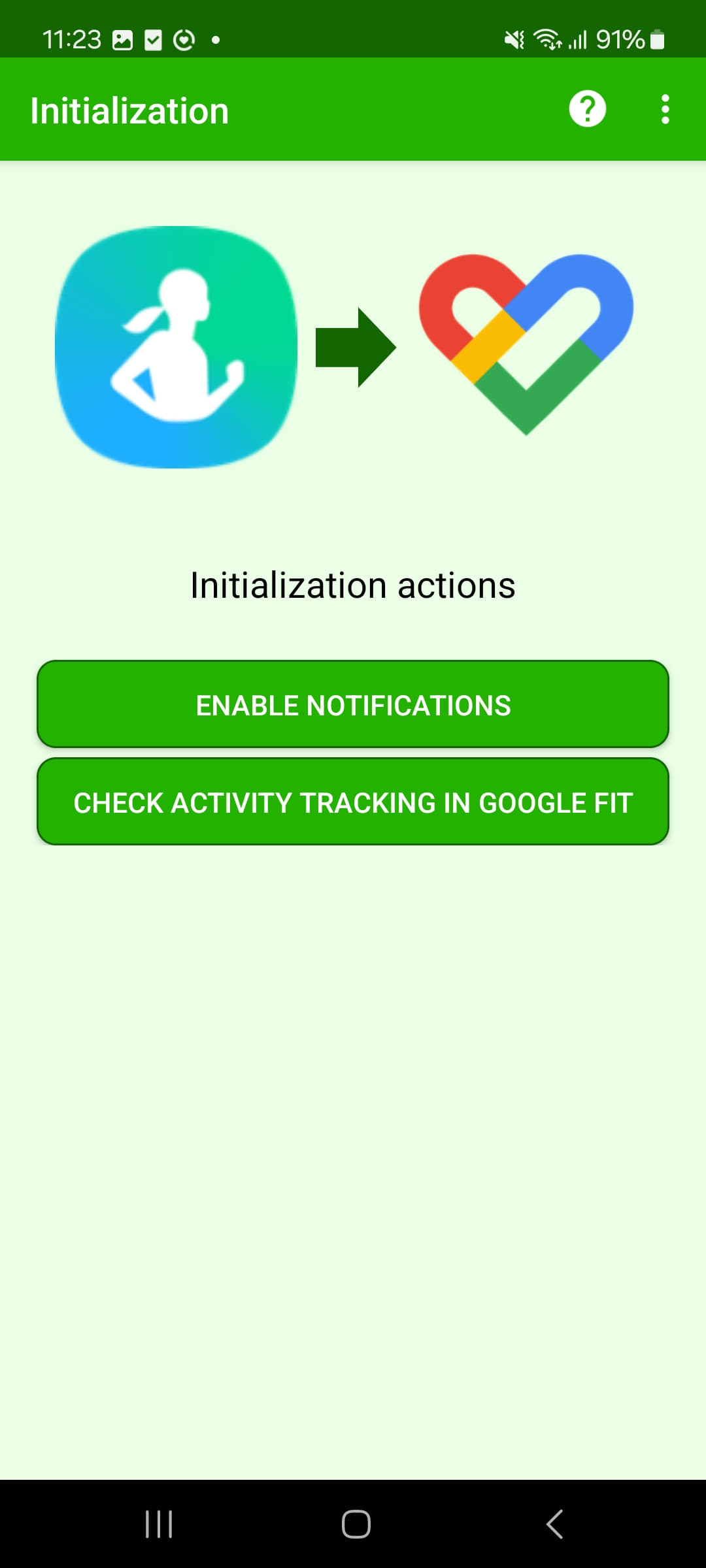
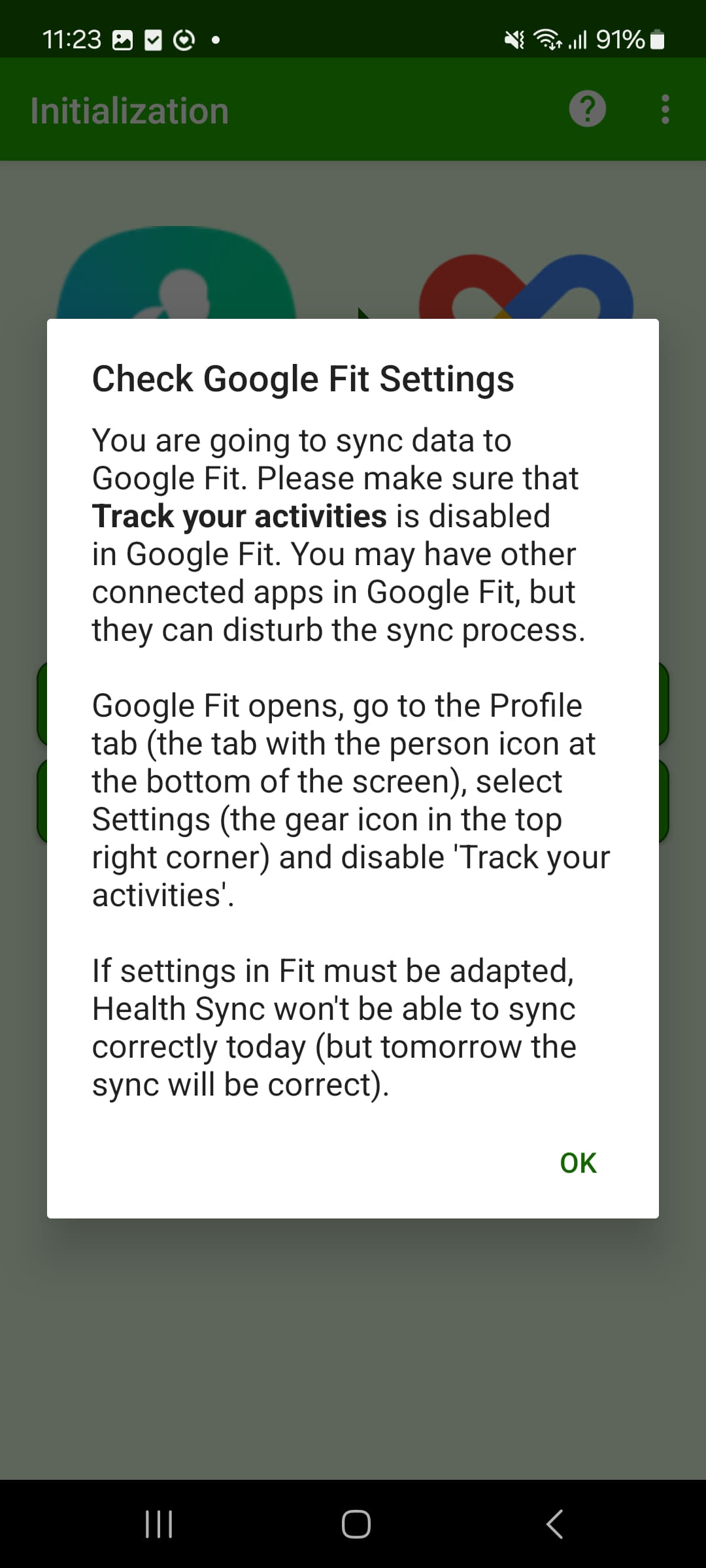
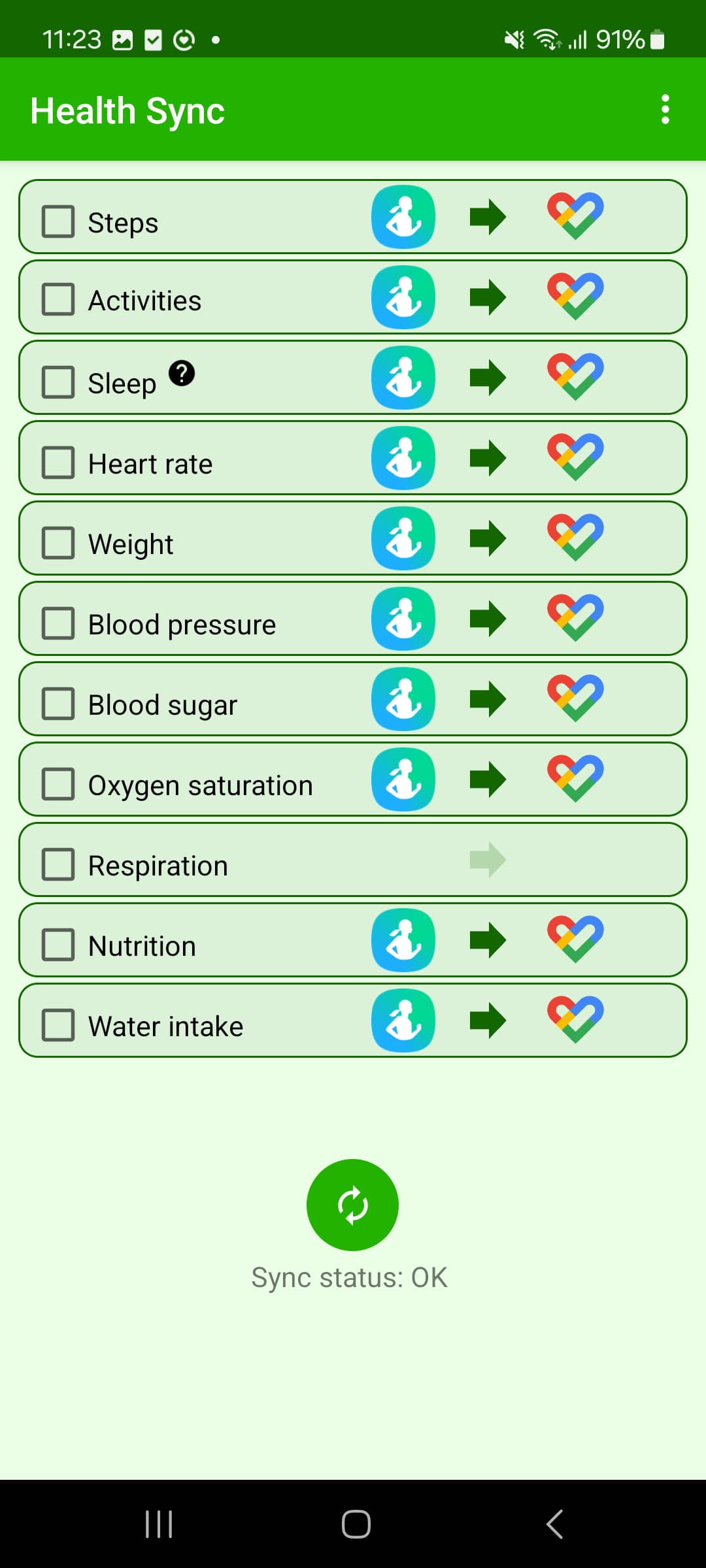
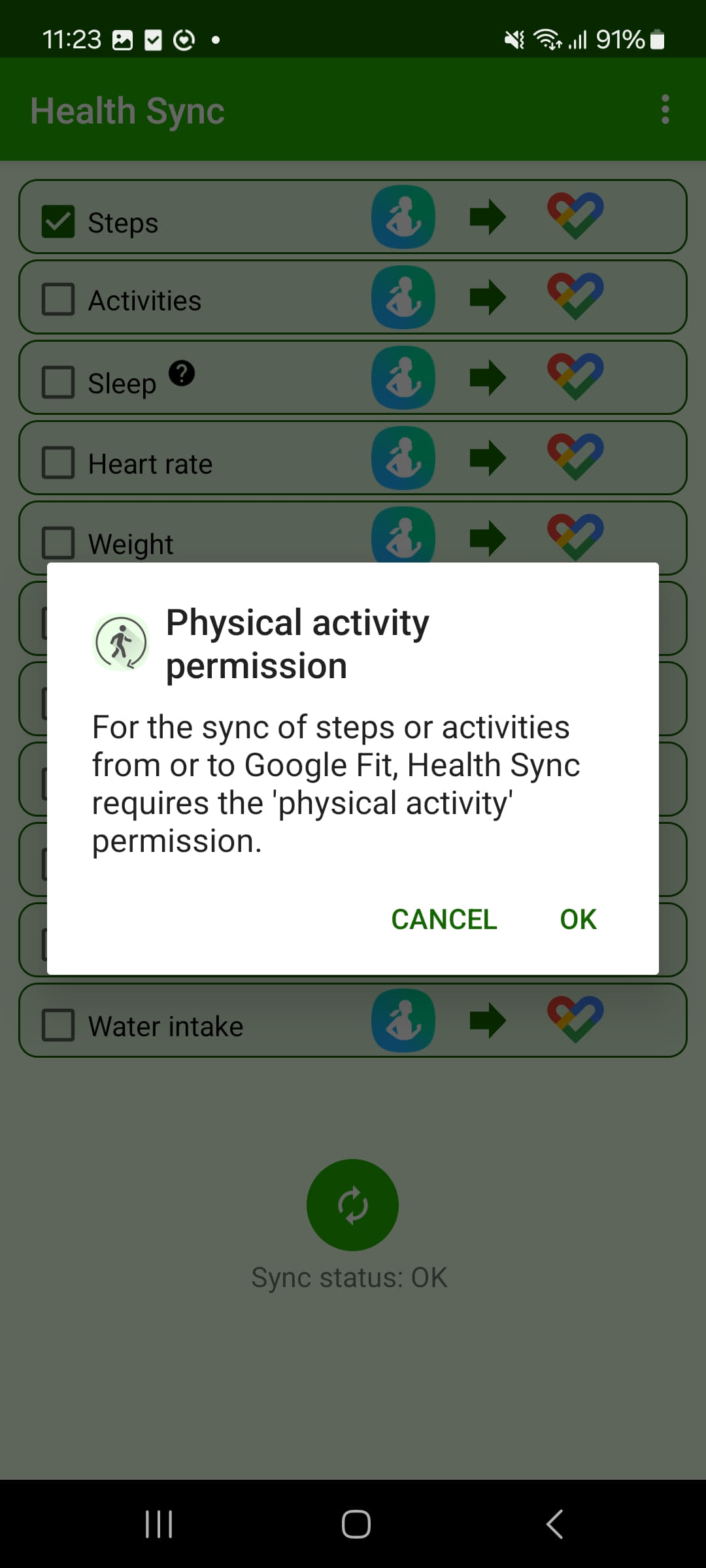
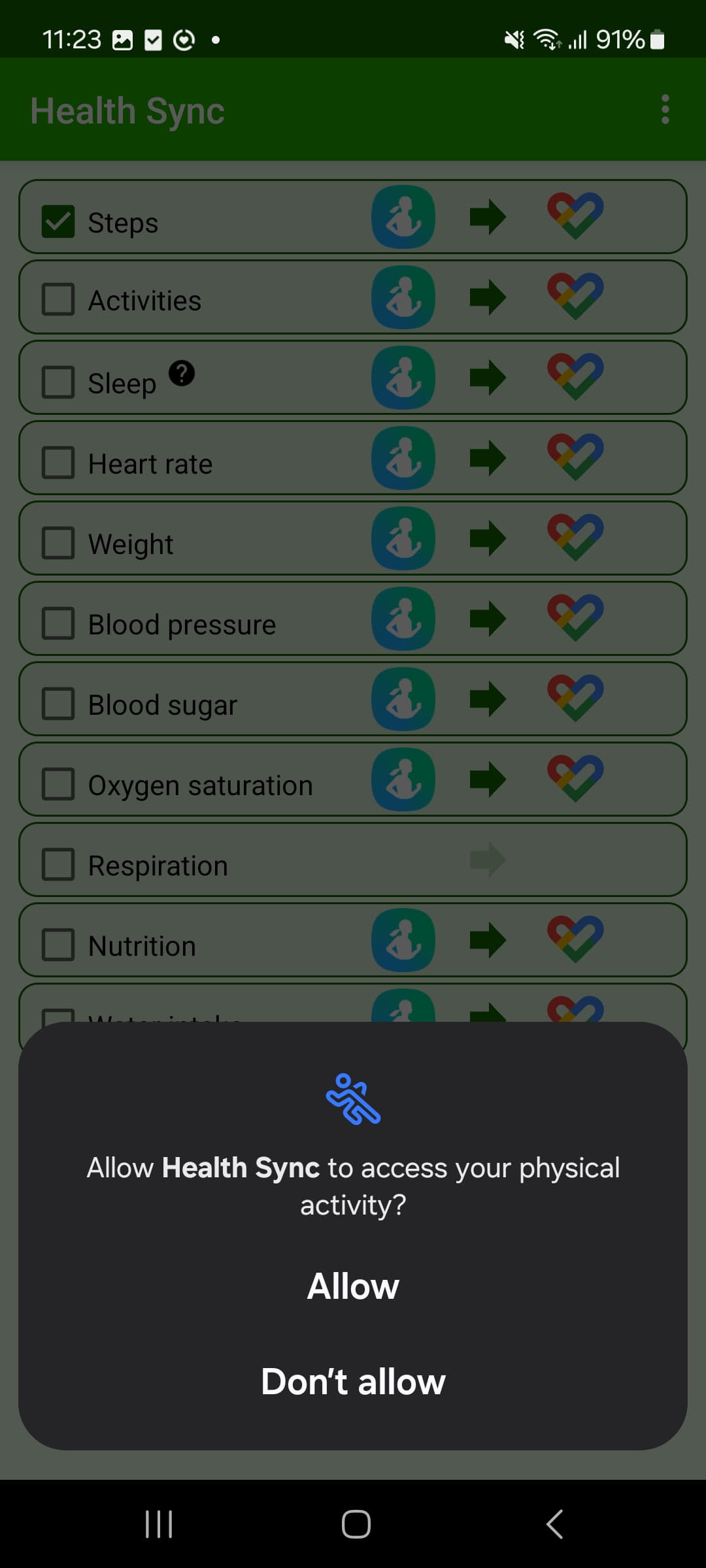
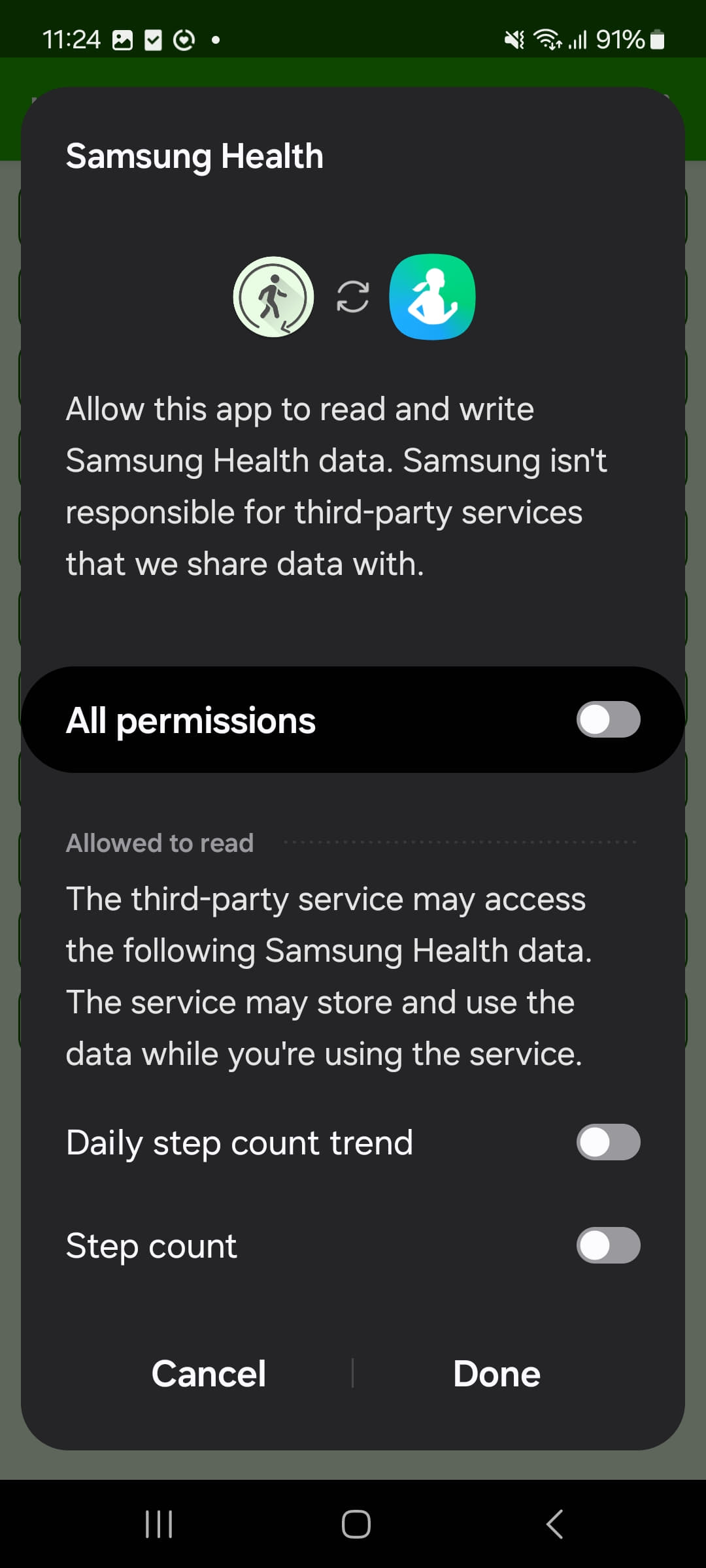
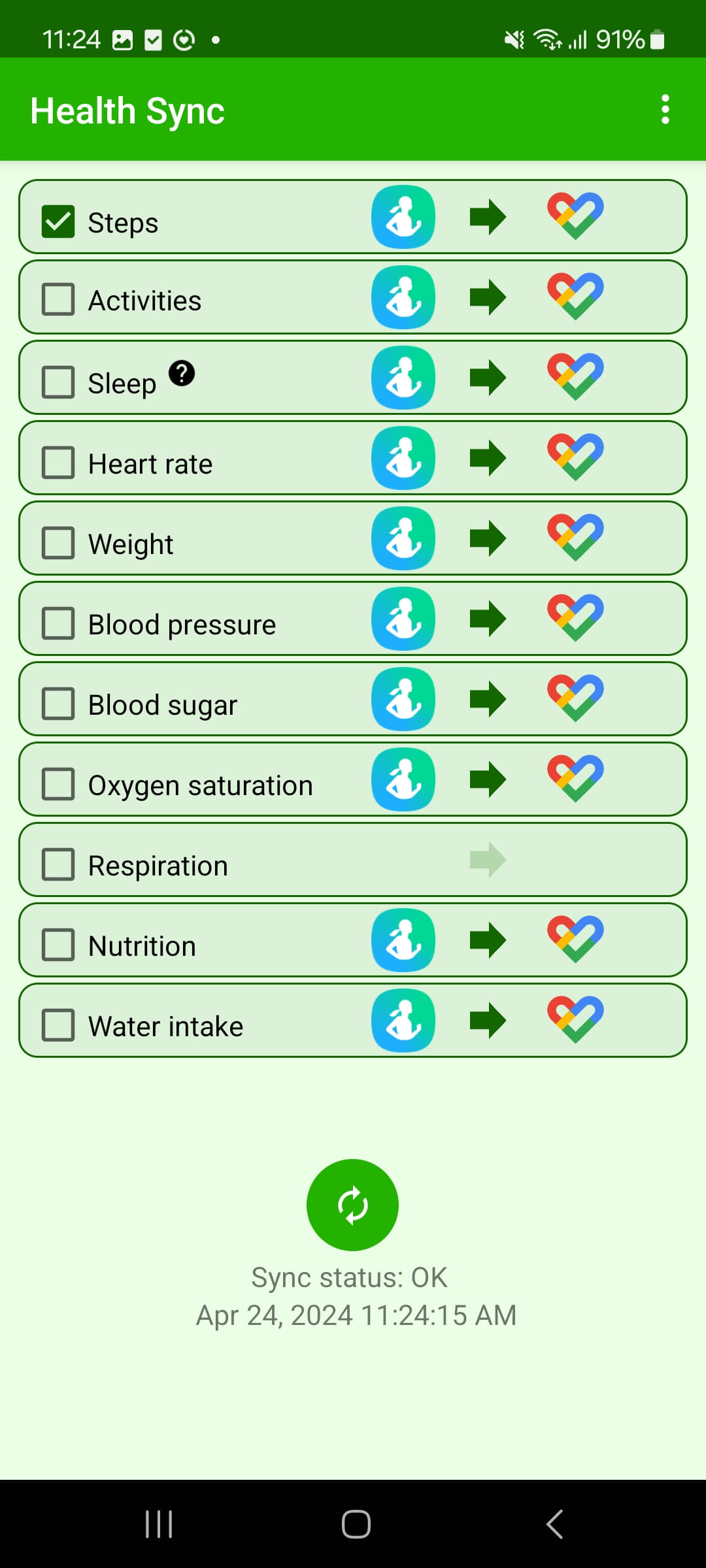
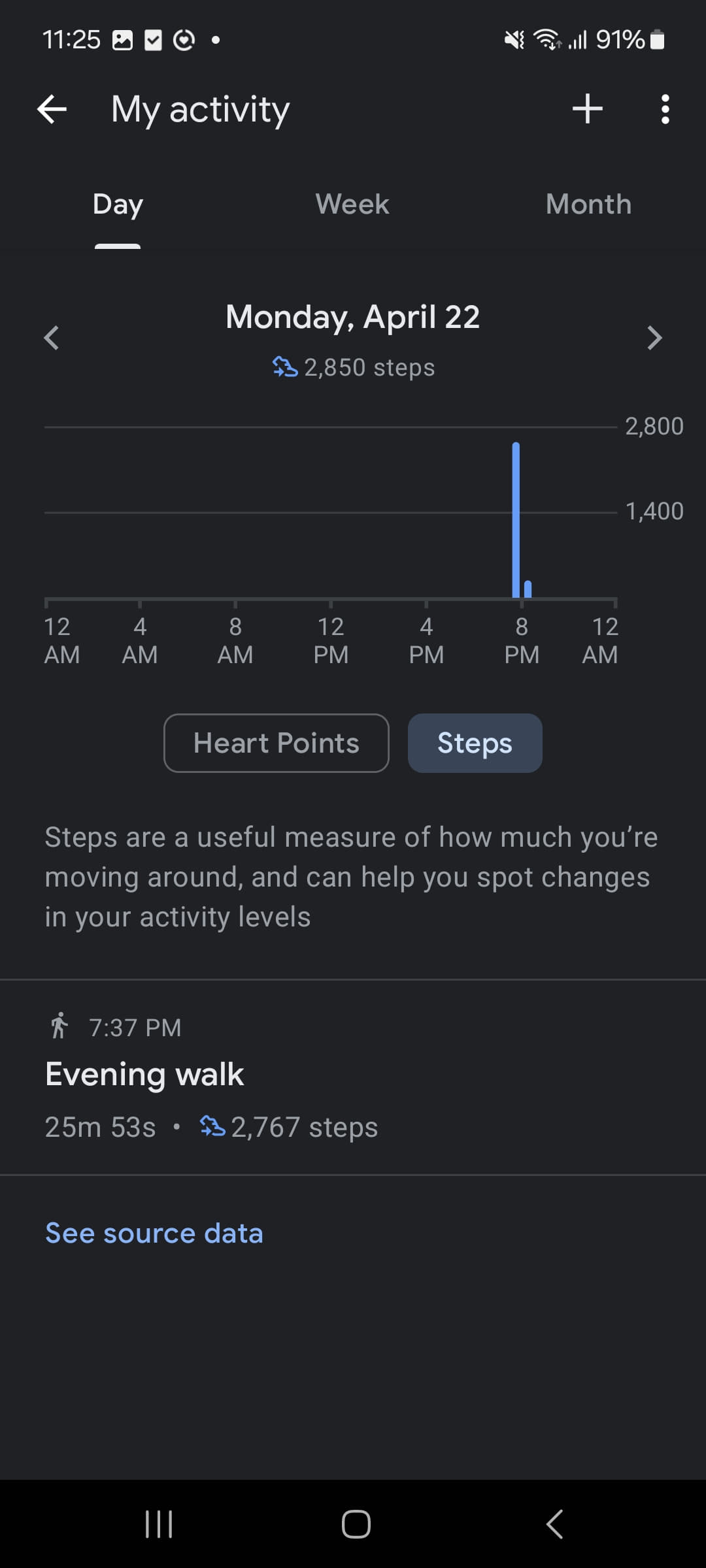
Step 4: Once you have gone through the setup process, you should be able to see the following screen that allows you to sync the steps from the chosen service to Health Connect.
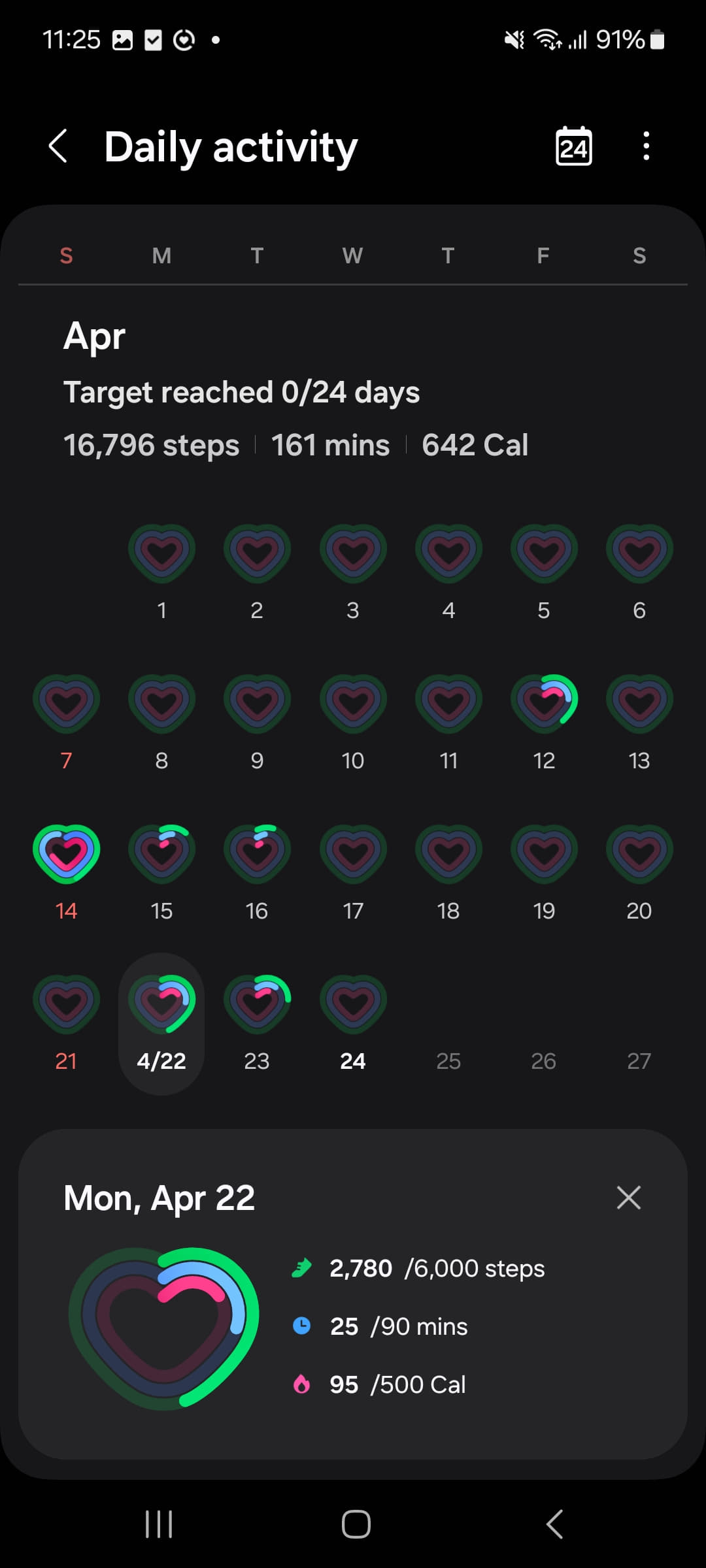
Step 5: Once you have gone through the setup process, you should be able to see the same number of steps in the Health Connect app.
I have a Huawei Phone and I am using a fitness tracker, how do I setup the steps tracking service?
It depends on the phone. On a Huawei without Google services (app installed from AppGallery) we can only read the steps counted by the phone or, when the option appears under Profile -> Settings -> Health, the steps from the Huawei Health app. A watch from another brand cannot be read on these phones.
If your Huawei phone has Google services and Health Connect installed, write to support@stepathon.io so we can enable Health Connect syncing for your account, then follow question 6.
Back to ContentsCan I use Fitbit with iOS devices?
Yes. On iPhone the Fitbit app writes into Apple Health. Set "Fitbit to Apple Health Sync" as the main source for Steps in the Health app (Browse -> Activity -> Steps -> Data Sources & Access -> Edit). The same applies to Garmin, Huawei Health or any other watch on iPhone: the watch app must sit above iPhone. You can find more details here.
Back to ContentsCan I use Xiaomi Band Pro 7?
Yes. Use the Mi Fitness app (or Zepp Life for Mi Band 4, 5 and 6) and turn on step syncing under Profile -> Settings -> Health Connect. If the Health Connect option is missing, update Mi Fitness. On Xiaomi phones also set battery usage to Unrestricted, see the Xiaomi question.
Back to ContentsI changed my phone during the competition and lost all my progress, what should I do?
Your progress is not lost: the competition history is stored on our servers. When you transfer to a new phone, the system revokes sensitive permissions, Health Connect included, so steps stop on the new phone. The right order:
- Do not uninstall the app from the old phone yet.
- On the new phone, toggle your fitness app's Health Connect sync off and back on, then in STEPathON go to Profile -> Settings -> Health -> Test Connection.
- Check in Health Connect -> Data and access -> Steps -> Entries that steps appear on the new phone.
- Open the competition and pull to refresh. If days are missing, send support@stepathon.io a screenshot of the weekly view from the fitness app on the old phone and we will make an adjustment.
Use the same account, do not create a new one. Tell us as soon as you can after the change (the rules ask for 24 hours).
Back to ContentsI have an older version of Xiaomi band, can I use it?
Yes, use the Zepp Life application to sync your band data.
Back to ContentsI have a Huawei device, can I use it?
Yes, we are available on Huawei AppGallery. On Huawei you have to start the step tracking service (the pedometer) from Profile -> Settings -> Health. Steps are recorded only while the service is running; you will see the "Step counter" notification in the notification bar.
After a phone restart, open the STEPathON app to make sure the service started again. Set battery usage to Unrestricted for STEPathON, otherwise the system may stop the service.
Back to ContentsCan I use fitness trackers with Huawei?
On a Huawei phone without Google services, no: only the steps tracked by our service on the phone are counted. On iPhone, Huawei Health writes directly into Apple Health, so a Huawei watch works with no extra app. On an Android phone with Google Play, a Huawei watch syncs through Health Sync (see question 6 and the Health Sync question).
Back to ContentsWill the steps automatically register in the app?
Steps sync only when you open the app, specifically the competition screen (or pull to refresh there), the My Steps screen, or the Test Connection button. If the app is not opened, the phone keeps counting, but the steps do not reach the competition.
For the competition, steps are recovered retroactively: it is enough to open the app once a week or even on the last day, plus 24 hours after the end, as the rules state. For the Steps Bank and for Pedometer mode, only the days on which you opened the app are counted, and those cannot be filled in later. A daily sync is recommended to keep the ranking current.
Back to ContentsIs it necessary to have the phone with us when we are taking the steps?
Yes, it is necessary to have your phone with you, or a watch/fitness band later connected to the phone to record the steps.The steps are recorded by the phone's operating system and synced with our app.
Back to ContentsAre we allowed to input manual steps?
No. Manual step entry is not accepted. Steps must come from automatic tracking on your phone or a connected fitness tracker. When manual entries are detected in synced data, they are removed from competition scores. Some watch apps write steps as manual entries without you knowing, see the companion app question.
Back to ContentsHow does STEPathON validate steps and winners?
STEPathON scores competitions using steps synced automatically from supported sources (Apple Health on iOS, Health Connect or the paths described in this FAQ on Android / Huawei).
- Manual step entry is not accepted and is removed from scores when detected.
- Steps should come from a single primary phone. If you change devices, notify support@stepathon.io as soon as you can (the rules ask for 24 hours) and follow question 10.
- Unusual activity patterns may place an account under review. That is a check, not an automatic disqualification: points still count until a human decision is made.
- Finalists and accounts under review may be asked for screenshots or an export from the phone's default health / step app covering the competition period.
- Disqualification is a human decision. If you disagree, see how to appeal.
Company-specific rules (if your organization shares an extra link) apply on top of the STEPathON competition rules, they do not replace them.
Back to ContentsWhy do my steps in STEPathON differ from my health app?
Small differences are common. Typical reasons:
- Sync timing: STEPathON updates competition totals when you open the competition screen (see Will the steps automatically register?). Your health app may show newer steps that have not synced yet.
- Two step sources: on Android 14 and above the phone also writes steps into Health Connect next to your fitness app, and the total can look inflated. See why STEPathON shows almost double.
- Source order: if the phone sits above your watch app in Health Connect or Apple Health, the lower values win. See the constant shortfall.
- Sync lag: fitness apps write into Health Connect at intervals, and battery restrictions delay it further. See steps arriving late.
- Manual entries: manual steps are not accepted and are removed from competition scores when detected. See apps that write manual entries.
- Competition day: the leaderboard uses the UTC day, your health app uses local time. See the timezone question.
Open STEPathON daily during a competition so the leaderboard stays current. If a large gap remains after syncing, contact support@stepathon.io with your phone model, your fitness app and two screenshots for the same day: the daily total in the fitness app and the Health Connect -> Data and access -> Steps -> Entries screen.
Back to ContentsWhy does STEPathON show almost double the steps from my fitness app?
Since Android 14 your phone also writes steps into Health Connect under its own model name (for example "Galaxy S25" or "Pixel 7 Pro"), in parallel with your fitness app. Health Connect combines sources by its priority list, and when both write, the combined total can come out higher than in the fitness app. This is not your fault: it is a setting that is on by default and most people never notice it.
How to fix it: open Health Connect -> Data and access -> Steps -> the Access tab, tap the entry named after your phone and revoke its Write permission for Steps. Alternatively, under App priority move your fitness app to the top. Then force close STEPathON, reopen it and pull to refresh on the competition screen. For days already affected, email support@stepathon.io a screenshot of the weekly view from your fitness app and we will correct the total to the real values.
Back to ContentsI granted every permission but STEPathON shows 0 steps. What did I miss?
The permission you gave us only lets us read from Health Connect. Separately, your fitness app has to be told to write into Health Connect, and that never happens automatically. Check Health Connect -> Data and access -> Steps -> the Entries tab: if it is empty, nothing is writing.
Open your fitness app (Samsung Health, Mi Fitness, Honor Health, Garmin Connect) and turn on Health Connect syncing there. On Samsung, restart the phone afterwards. On Android 13 and below, first make sure Health Connect is installed from Google Play. On Android 14 and above, if you have no watch, the phone itself can write steps into Health Connect. Video guide: step sync on Android.
Back to ContentsWhy do my steps arrive late, or go missing and then come back?
Fitness apps write into Health Connect at intervals, not in real time, and battery optimisation delays that further, especially on Xiaomi, Huawei and recent One UI. You can recognise it by a gap that changes through the day and recovers on its own.
Open your fitness app, let it sync, check Health Connect, then pull to refresh in STEPathON on the competition screen. To stop it happening again, set battery usage to Unrestricted for your fitness app, for Health Connect and for STEPathON.
Back to ContentsI am constantly short by roughly the same number of steps. What should I check?
A steady shortfall usually means the source order is wrong. Health Connect and Apple Health remove overlaps using a priority list, and if your phone or a secondary app sits above your watch app, the lower phone values win.
On Android: Health Connect -> Data and access -> Steps -> App priority, move your watch app to the top. On iOS: Health -> Browse -> Activity -> Steps -> Data Sources & Access -> Edit, move the watch above iPhone. On iOS this same cause explains a count that drops during the day after the watch syncs.
Back to ContentsI use Health Sync for a Huawei watch and I am constantly missing a few thousand steps a day
Health Sync has a 7 day trial. Once it ends, the free tier syncs far less often, which produces a systematic shortfall of roughly 1,000 to 3,000 steps a day. The paid tier is a one off of about 3 euro and removes the problem entirely.
Also check that Health Sync is not battery restricted and that your Huawei account is still signed in. If Huawei login breaks, clear the Huawei Health app cache and update HMS Core. On iPhone you do not need Health Sync: Huawei Health writes directly into Apple Health.
Back to ContentsI enabled Health Connect in Samsung Health but the steps still do not show up
Open Samsung Health -> the three dots -> Settings -> Health Connect and turn on Write for Steps. A phone restart is mandatory: Samsung Health often will not start writing until system services restart. If it is still stuck, disable it, restart, re-enable and restart again.
Samsung Health does not always push everything, so open it daily and set its battery usage to Unrestricted. On Android 14 and above, also check whether your phone writes steps as a separate source (see almost double the steps). Video guide: here.
Back to ContentsI have a Xiaomi, Redmi or POCO and syncing stops after a few hours
On these phones the system aggressively closes apps that are not in the foreground. You must set battery usage to Unrestricted and enable Autostart for Mi Fitness, for Health Connect and for STEPathON.
Health Connect syncing is turned on inside Mi Fitness -> Profile -> Settings -> Health Connect. For Mi Band 4, 5 and 6 use Zepp Life instead of Mi Fitness. If the Health Connect option is missing from the menu, update the app.
Back to ContentsI have a watch or band from another brand. How do I know if it works with STEPathON?
What matters is not the watch brand but the companion app on your phone. Look inside that app under Profile or Settings for a Health Connect or data sharing option. If it is there, turn it on and your steps reach us.
Samsung Health, Mi Fitness, Zepp Life, Garmin Connect, Honor Health, Fitbit and, on iOS, Huawei Health all work this way. Generic apps such as Da Fit, FitCloudPro, GloryFit or WearPro usually do not offer it. If you cannot find it, send the exact app name to support@stepathon.io and we will tell you honestly whether it can work; otherwise you can count steps with the phone.
Back to ContentsMy steps are in Health Connect and permissions look right, but STEPathON still ignores them. Why?
Some companion apps write steps into Health Connect tagged as a manual entry rather than an automatic recording. The fair play rules do not accept manual entries whatever their source, so those steps are not counted in the competition. We have confirmed this behaviour with Canyon Life. It is not your fault and, unfortunately, there is no technical fix on our side for these apps.
What you can do: on Android 13 and below, switch to counting steps on the phone (Profile -> Settings -> Health -> Reset Settings -> Pedometer). On Android 14 and above, use an app that records automatically or let the phone write steps into Health Connect. For the affected days, email support@stepathon.io a screenshot of the weekly view from the watch app and we will make an adjustment.
Back to ContentsShould I reinstall the app if it is not syncing?
No, reinstalling almost always makes things worse. It drops your Health Connect or Apple Health permissions and, if you were using Pedometer mode, it permanently destroys your local step history because no other platform holds a copy. Your competition history stays safe on our servers.
Try Profile -> Settings -> Health -> Test Connection first and grant the permission if asked. If the test fails, send us the message it shows. If you have already reinstalled, send us screenshots from your health app for the affected period and we will make an adjustment.
Back to ContentsMy account shows as inactive or my steps stopped suddenly. What do I do?
There is no automatic removal for inactivity. Usually your health source disconnected (for example after a system update or after a permission was revoked), and the app shows 0 steps without warning you.
Go to Profile -> Settings -> Health and tap Test Connection. If you are asked for the permission, grant it. If the test says we cannot read your steps, tap Reset Settings and set up again. Do not uninstall the app. Competition steps are recovered once you reconnect.
Back to ContentsWhy do my steps in a Competition differ from the Steps Bank?
They work differently. A Competition recovers steps retroactively, so opening the app later still fills in earlier days. The Steps Bank is a monthly organisation leaderboard that only collects on days you opened the app, and missed days cannot be filled in afterwards. That is why the Steps Bank can show a lower total. Open the app daily if you want both to be accurate.
Back to ContentsWhy do today's steps not match what my phone shows?
The competition day is calculated in UTC so that everyone is measured over the same window regardless of timezone. Your health app uses local time, so late evening steps can land in the next competition day. No step is lost.
On the competition screen there is a toggle: Competition timezone shows the official day used for ranking, and Local timezone shows the same data in your own time. The leaderboard always uses the UTC view.
Back to ContentsWhat does "under review" / investigation mean?
If some of your activity needs a closer look, your account may be marked under review. This is a routine check, not a final decision: your points still count for now.
You will receive an email when this happens. If you have relevant context (device setup, sync source, screenshots), reply to support@stepathon.io within 48 hours.
After review, a human may clear the flag, ask for more information, or, if the activity does not follow the rules, disqualify the account. See also how we validate steps and how to appeal.
Back to ContentsHow do I appeal a disqualification?
If your account is disqualified, you receive an email explaining that an activity pattern was considered against the competition rules (optional extra detail may be included). Your competition points are reset.
To appeal: reply to that email (or write to support@stepathon.io) within 3 days of the decision, with proof that the pattern does not reflect your real activity, for example screenshots or an export from your phone's default step-tracking app for the competition period.
Appeals after the deadline may not be considered. Include your competition name and the email on your STEPathON account.
Back to ContentsIs the STEPathON app using more battery?
No, the STEPathON app does not use more battery than other fitness apps. It relies on the system services (Health Connect, Apple Health) or the phone pedometer to count steps and, by default, does not run in the background.
This is the reason it is necessary to open the app once a day to sync the steps.
Back to ContentsWhy can I not see the Background Refresh option?
The Background Refresh option appears in Profile only in the mobile app and only when we have enabled it for the app. If you do not see it, it is currently switched off or you are using the web app. Syncing always happens when you open the app, so you do not depend on this option.
Back to ContentsHow to turn on Background Refresh?
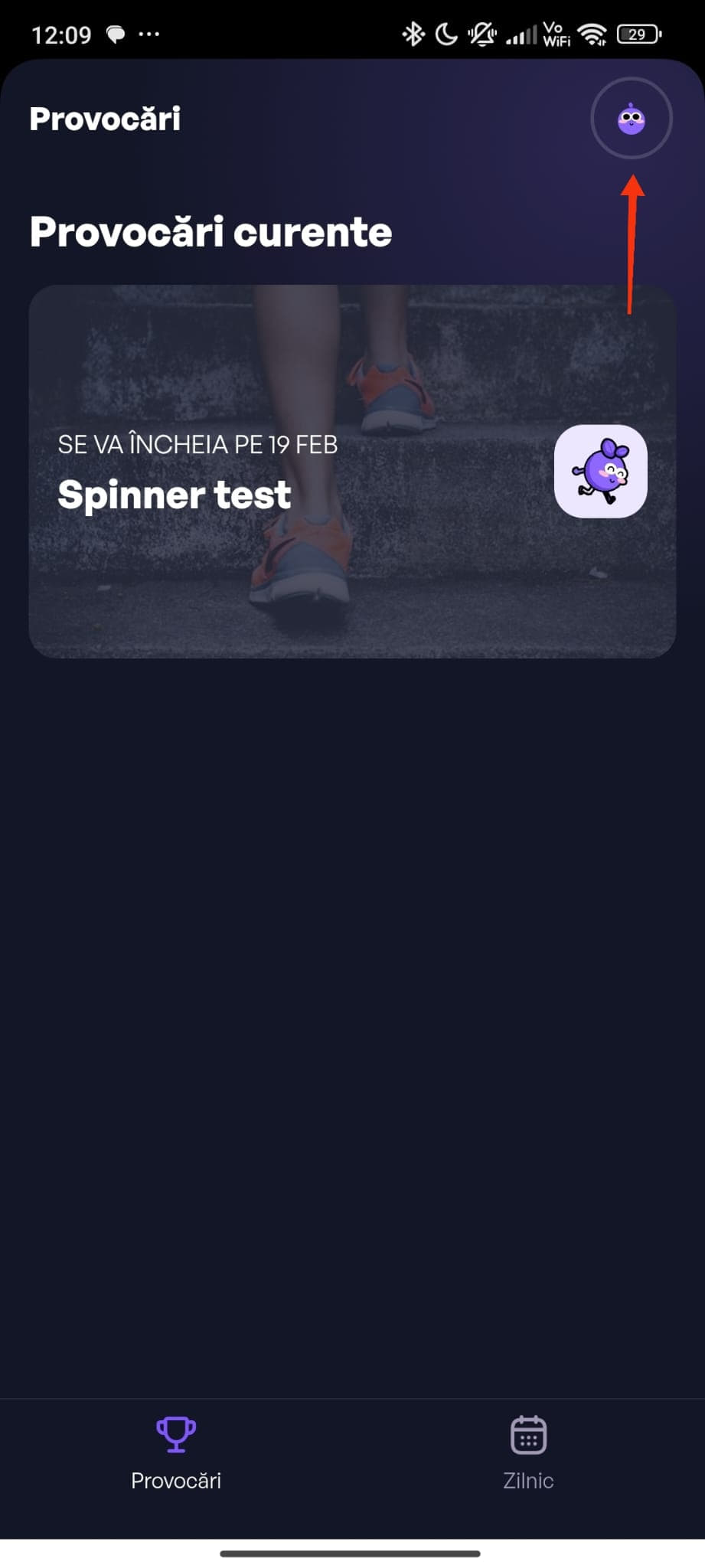
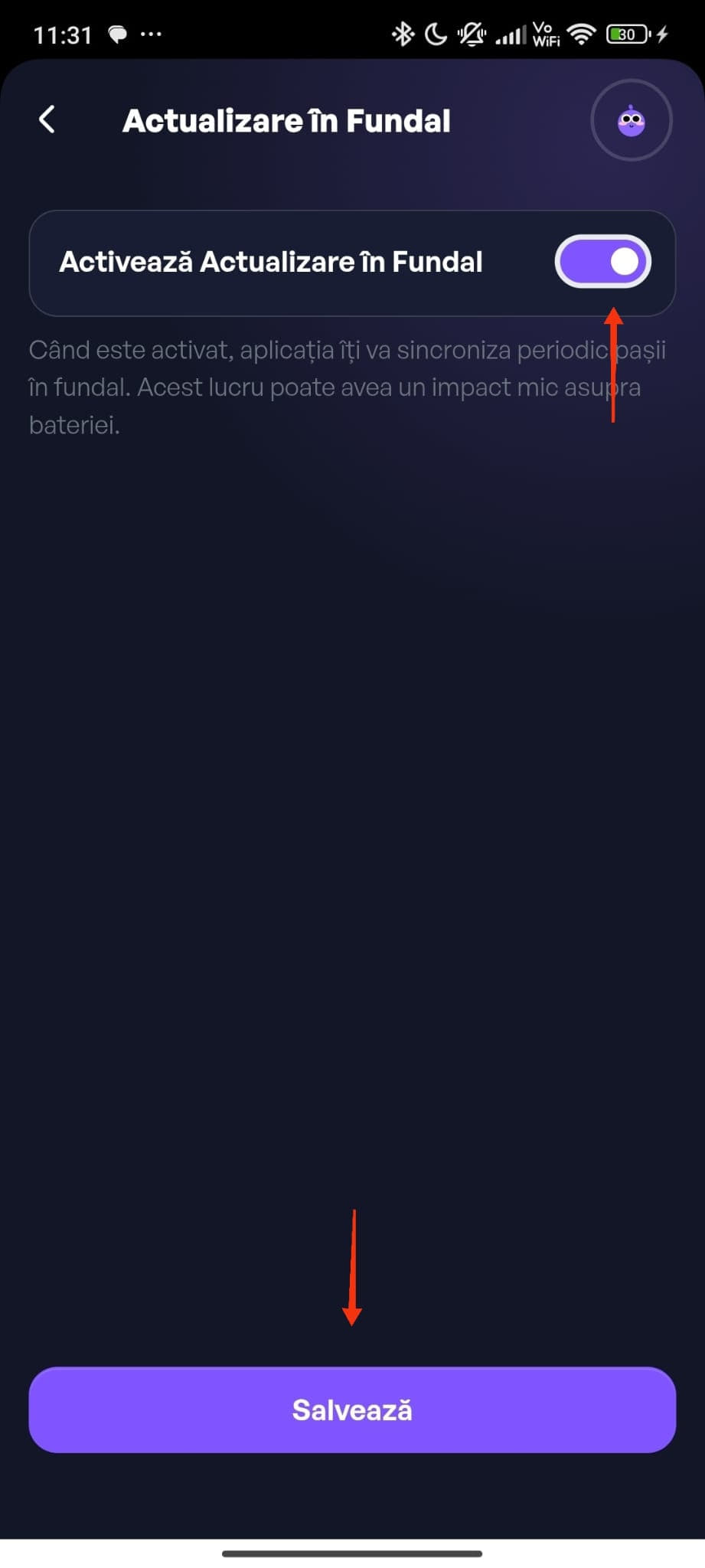
Step 1: Go to your profile.
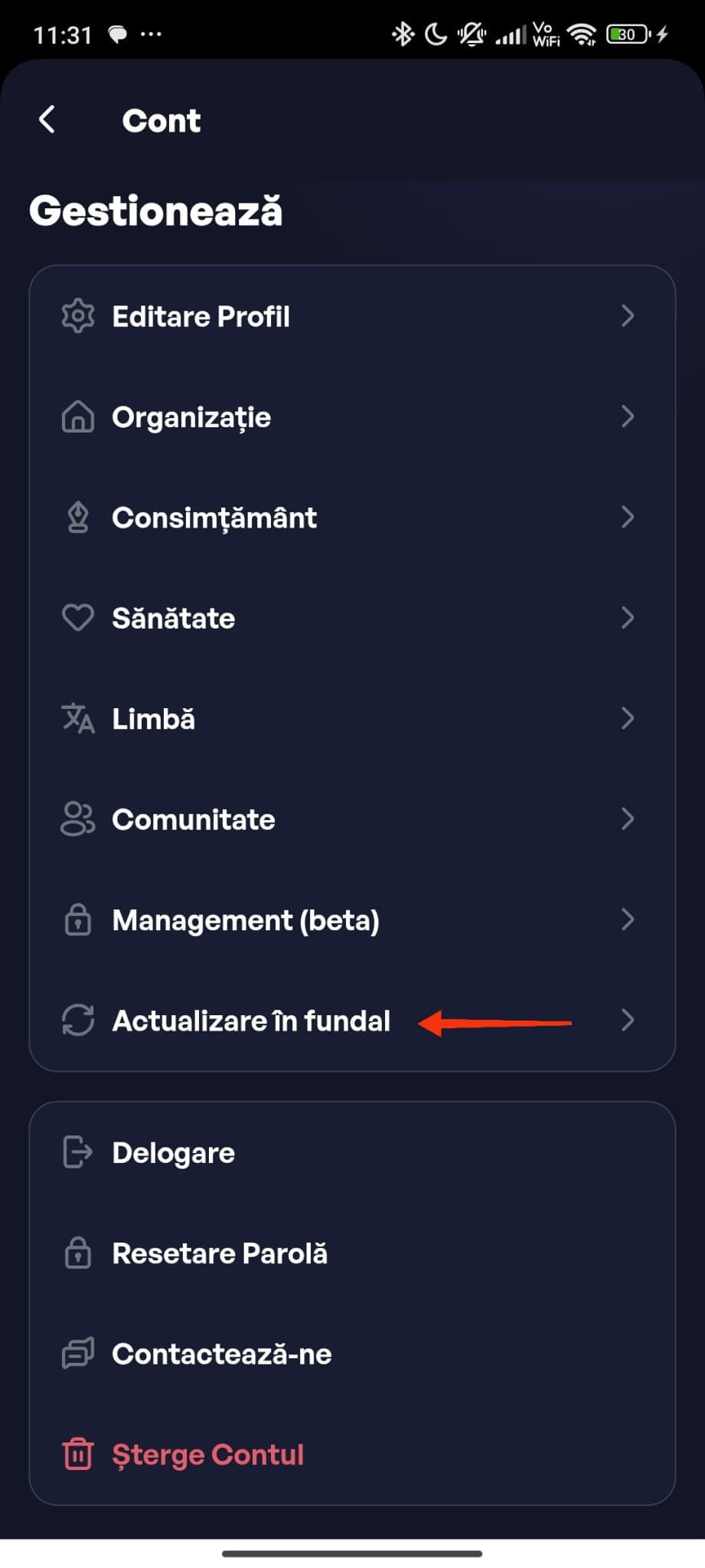
Step 2: Tap on "Background Refresh".
Step 3: Toggle "Enable Background Refresh" on and tap Save.
It only works while the app is running in the background; force closing the app stops it. It is an optional feature that is still being rolled out and does not replace opening the app daily: the guaranteed sync happens only when you open the competition screen.
Can I use Garmin with Android?
Yes. Connect your Garmin device through the Garmin Connect app and enable sync to Health Connect. In the Health Connect app, open Steps, then manage data sources and put Garmin first so your watch steps are counted correctly in STEPathON.
Back to ContentsI have a question that is not listed here, what should I do?
Contact us at support@stepathon.io or visit our Help page for video guides and further assistance.
Back to Contents